











HR gets more complicated as a small business grows. Payroll, hiring, scheduling, performance, and engagement can quickly outgrow spreadsheets. But the problem isn't the same for every business. Some need payroll or a full HRIS handled first. Others are further along and need recruiting, scheduling, or a way to track performance and feedback. This guide compares 17 HR software platforms for small businesses, so you can match the right type of tool to the problem you actually have.
Best HR Software for Small Businesses: Quick Picks
- Best all-in-one HRIS: BambooHR
- Best payroll + HR: Gusto
- Best for performance, goals, feedback & engagement: ThriveSparrow
- Best for hourly teams: Homebase
- Best budget-friendly option: Zoho People
- Best for compliance-heavy HR: Paycor
- Best for global teams: Oyster HR
Which Type of HR Software Do You Need?
Not every small business needs the same HR software. Start with the problem creating the most work — or the most risk — today.
Not every platform in this guide is a traditional HRIS. Some are ATS platforms, scheduling tools, global employment platforms, or engagement and performance platforms instead. We included them because small businesses often need to solve one specific problem, not replace their entire HR stack.
If performance is your main problem, compare dedicated performance management software before replacing your whole HR system. If engagement is the issue, employee engagement software may be a better fit than a general HRIS.
All-in-One vs. Modular HR Software
Small business HR software generally falls into two models. The difference matters before you compare individual tools.
All-in-one platforms — like BambooHR or Gusto — bundle core HR, payroll, and sometimes hiring or performance tools under one login. You get one vendor and one support line. In exchange, you accept less depth in any single area.
Modular tools solve one part of the problem well. They're built to sit alongside the HR system you already have. A dedicated ATS like Workable, a time-tracking tool like Buddy Punch, or an engagement layer like ThriveSparrow all work this way. You add them when a specific gap shows up, without replacing what's already working.
Neither model is better in every case. All-in-one makes sense when you're building your HR stack from scratch. Modular makes sense when part of the problem — usually payroll or core records — is already handled, and what's missing is something more specific.
How We Evaluated These HR Software Platforms
This comparison draws on each vendor's published pricing and feature pages, plus third-party review sites like G2 and Capterra. We looked at core HR capabilities, payroll support, performance and engagement features, integrations, ease of use, pricing, and small-business fit.
This is desk research, not a hands-on product test. We didn't run trial accounts, interview customers, or sit through vendor demos for every tool on this list. Pricing and features change often, so treat the figures below as directional. Confirm anything decision-critical directly with the vendor before you buy. Pricing and ratings in this article were checked as of August 2026.
The 17 Best HR Software Platforms for Small Businesses, at a Glance
Use the capability ratings below to narrow the list. They show whether a feature exists, but not how deep or mature it is. See each product's section for what "Yes" or "Add-on" actually includes.
1. ThriveSparrow
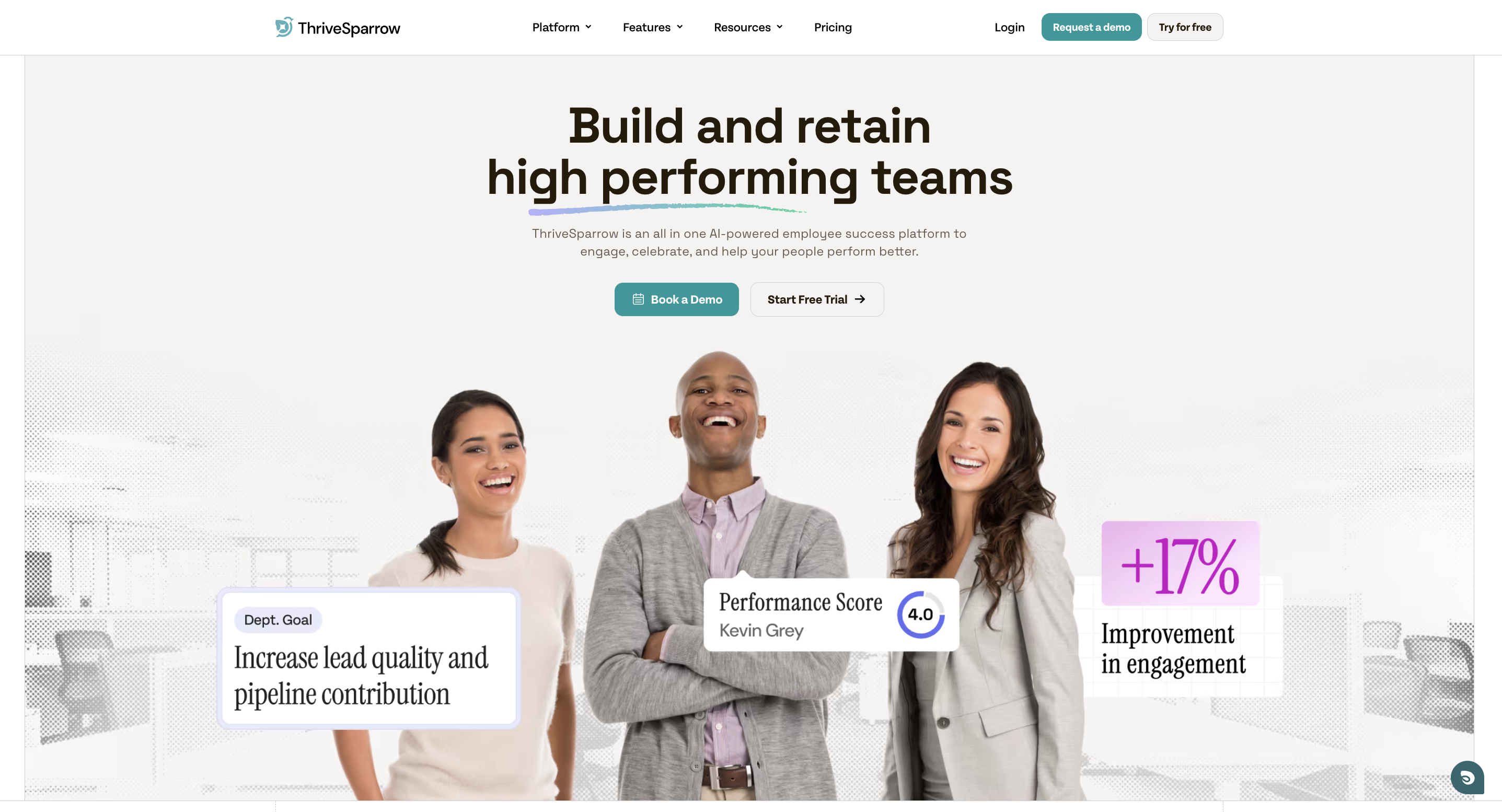
Best for: Performance, goals, feedback & employee engagementType: Employee engagement, feedback, recognition, and performance platformStarting price: $2/user/month (Kudos), billed annually
ThriveSparrow is built for businesses whose core HR and payroll already work, but who need better tools for performance, goals, feedback, and engagement. It adds that layer without replacing the systems already in place.
Once payroll and employee records are handled, the next challenge is often managing performance, goals, feedback, and engagement consistently.
What it does well
- You can buy modules separately: Kudos ($2/user/month), Engage ($3), Goals ($3), and Performance ($5), each billed annually. A full-platform bundle is also available at a discounted combined rate.
- The Engage module functions as employee pulse surveys and eNPS surveys, with built-in action-plan tools. That means survey results connect to a follow-up step instead of just sitting in a report.
- The Goals module works as dedicated goal setting software. Teams can set and track OKRs alongside performance reviews, so goals and reviews aren't disconnected.
- One-on-Ones and continuous feedback come free with any paid plan, giving managers basic employee feedback tools without an extra module.
- The Kudos module works as employee recognition software. Managers and peers can recognize contributions as they happen, instead of saving it for a review.
- The Performance module adds 360° performance reviews and AI-assisted personal development plans, so review cycles come with a clear next step for each employee's growth.
Potential limitations
- No payroll, tax filing, benefits administration, or core employee-record management. A separate HRIS or payroll tool is still required.
- A smaller integration catalog than all-in-one HR platforms. Native connections are currently limited to a handful of everyday tools (Slack, Google Workspace), not every HRIS or payroll provider.
- A smaller public review volume on sites like G2 than longer-established competitors on this list — worth keeping in mind when weighing aggregate ratings.
Choose ThriveSparrow if:
- Payroll or HRIS software is already in place and working
- The current gap is engagement, retention, or manager effectiveness
- You want pulse surveys, recognition, feedback, and goal tracking in one connected tool
- Modular, pay-for-what-you-use pricing is preferable to a bundled suite
ThriveSparrow may not be the right fit if:
- Payroll is the primary need
- Tax filing is required
- You need to build a core employee database from scratch
- Benefits administration is the primary need
Best fit: Teams that already have core HR covered but need stronger tools for performance and engagement.
Start your free 14-day trial. See how it fits your HR stack →
.svg)
No time to read the full list? Check out this video, top HR software for small businesses, summed up in minutes.
2. BambooHR
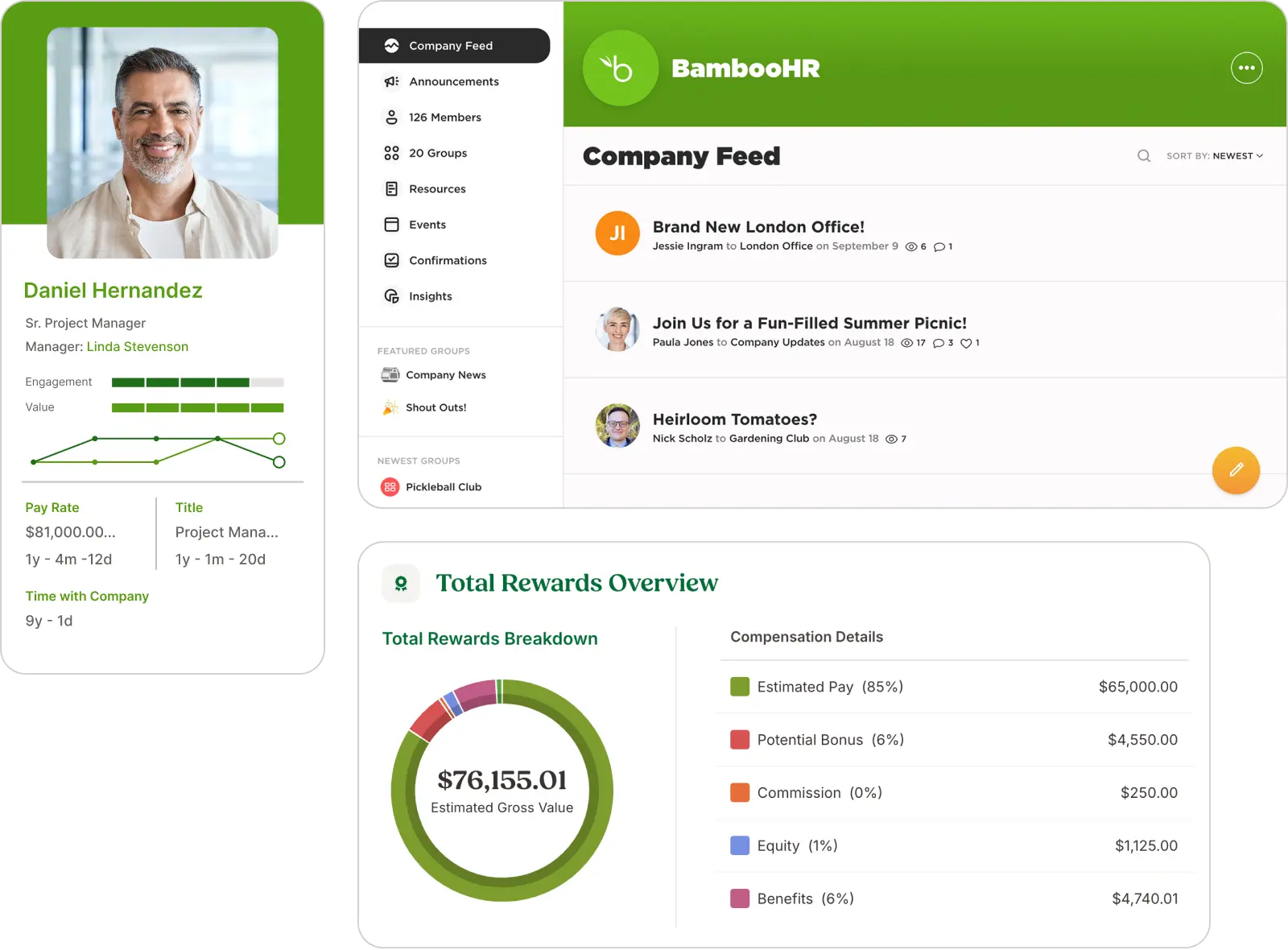
Best for: All-in-one HRIS for growing teamsType: All-in-one HR platformStarting price: Custom pricing (quote-based)
For growing teams, BambooHR offers one system for employee records, onboarding, PTO, and basic hiring. Records, org charts, time-off requests, and documents all live in one place.
What it does well
- Centralizes employee records, org charts, and reporting in one system
- Combines a basic ATS, PTO management, and an HRIS in one subscription
- Offers a performance management module (available on higher tiers)
Potential limitations
- The built-in ATS covers basic hiring but has less depth than dedicated recruiting platforms
- BambooHR does not publish a fixed public price list; cost depends on company size and modules selected
- Payroll is a separate add-on rather than a native, always-included feature
Choose BambooHR if: You want a clean, all-in-one HR foundation and don't need heavy payroll automation built in.
Consider another option if: Payroll is your top priority. Gusto is built payroll-first.
3. Gusto

Best for: Payroll + HR combinedType: Payroll-first HR platformStarting price: $49/month + $6/employee (Simple plan)
Payroll is the reason most people choose Gusto. It automates payroll taxes, direct deposits, and compliance filings, and adds basic onboarding, document storage, and an employee self-service portal. It's built primarily for US-based teams.
What it does well
- Automates payroll tax filings and direct deposit
- Provides an employee self-service portal for pay stubs and tax documents
- Includes health insurance administration in all 50 states as part of its offering
Potential limitations
- HR features are lighter than a dedicated HRIS. Teams that need deeper people-management tools may outgrow it.
- Built for US-based payroll; international teams need a separate global payroll or EOR tool
- Pricing has increased over time: Plus and the newer Premium tier now sit well above the entry-level Simple plan
Pricing (as of August 2026):
- Simple: $49/month + $6/employee
- Plus: $80/month + $12/employee
- Premium: $180/month + $22/employee
- Contractor-only: $35/month + $6/contractor (promotional periods sometimes waive the base fee)
Choose Gusto if: You want payroll and HR in one system and your team is US-based.
Consider another option if: You need deep people analytics, multi-country payroll, or complex multi-state compliance beyond what Gusto's Plus/Premium tiers cover.
4. Rippling

Best for: HR + IT automationType: Modular HR, IT, and finance platformStarting price: Custom pricing (quote-based)
Rippling takes a broader approach. It combines HR, payroll, IT device management, and finance tools into one automated platform, aimed at tech-forward teams that want fewer disconnected systems.
What it does well
- Combines HR and IT provisioning so new hires can be set up across both systems from one workflow
- Supports growing teams as they add employees and connect more systems
- Automates onboarding and offboarding steps across connected systems
Potential limitations
- Feature breadth can be more than a very small team needs
- Implementation and configuration typically require more planning than lighter-weight tools
- Pricing is quote-based and modular, which makes upfront budgeting harder than with published-price competitors
Choose Rippling if: You want HR and IT software in one place and expect to scale quickly.
Consider another option if: You just need basic employee records and payroll. The platform's breadth may add unnecessary complexity for a very small team.
5. Zoho People

Best for: Affordable HR software for startupsType: Budget-friendly HRISStarting price: Free for up to 5 users; $1.25/user/month for the Essential tier
For very small teams, Zoho People offers a free tier for teams of 5 or fewer, then scales through several paid tiers. It also connects to other Zoho products, including Zoho Payroll and Zoho Books, if you already use those.
What it does well
- Free plan covers a basic employee database and time-off tracking, not just a limited demo
- Offers customizable workflows and forms
- Connects with the broader Zoho product suite
Potential limitations
- Custom reporting can require some configuration effort
- Payroll integration availability varies significantly by region
- Interface complexity increases at higher tiers, which some teams find takes longer to learn
Pricing tiers: Free (≤5 users), Essential ($1.25/user/month), Professional ($2/user/month), Premium ($3/user/month), Enterprise ($4.50/user/month). Zoho periodically adjusts what's included at each tier, so treat tier boundaries as approximate.
Choose Zoho People if: Budget is the primary constraint and a real HRIS — not just a spreadsheet upgrade — is the goal.
Consider another option if: Ease of setup and day-to-day usability matter more than the lowest price.
6. Buddy Punch
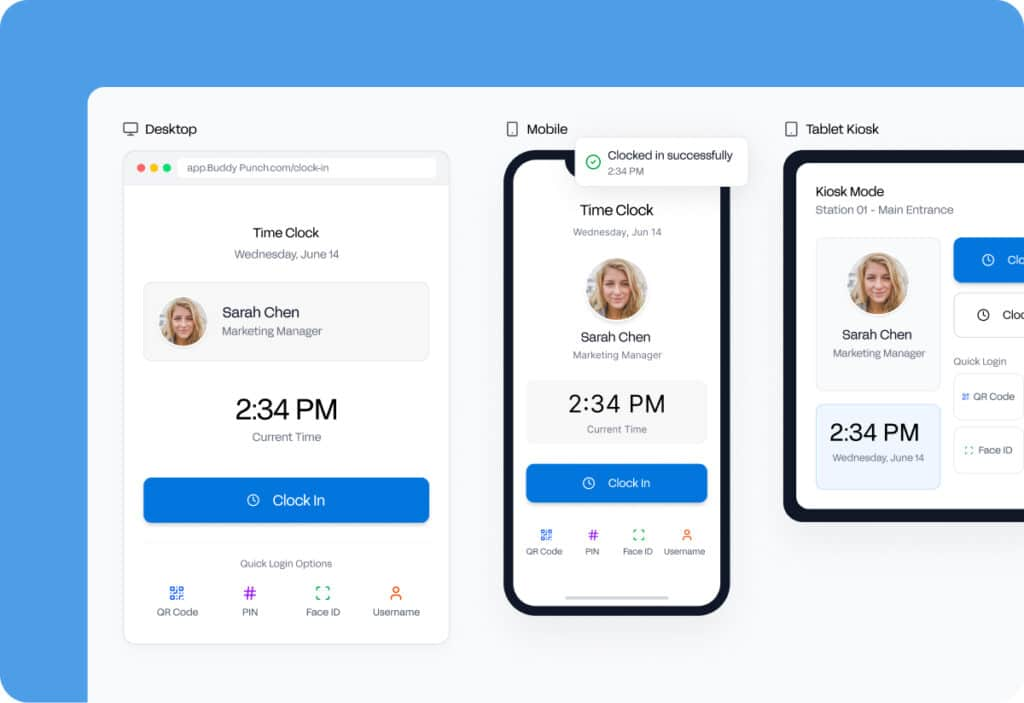
Best for: Accurate time, attendance, and PTO feeding payrollType: Time tracking, attendance, scheduling, and payroll platformStarting price: $4.99/user/month + $19 base (billed annually)
Buddy Punch has a narrow, specific job: capture accurate hours and PTO, then feed that data into payroll. That payroll can be its own, or a connected provider such as QuickBooks, Gusto, ADP, or Paychex.
What it does well
- Supports GPS, photo, and IP-based punch verification for attendance accuracy
- Includes built-in PTO tracking with accruals, requests, and approvals
- Syncs with several major payroll providers, or runs its own payroll in all 50 states
Potential limitations
- It is a time-and-attendance tool, not an HRIS. Benefits, recruiting, and performance management require separate software.
- A monthly base fee applies in addition to the per-user rate
- Some accountability features (geofencing, kiosk punching) sit on higher tiers or as add-ons
Choose Buddy Punch if: Accurate time, attendance, and PTO data feeding into payroll is the core need.
Consider another option if: You want one platform that also covers benefits, onboarding, and performance reviews.
7. Paycor
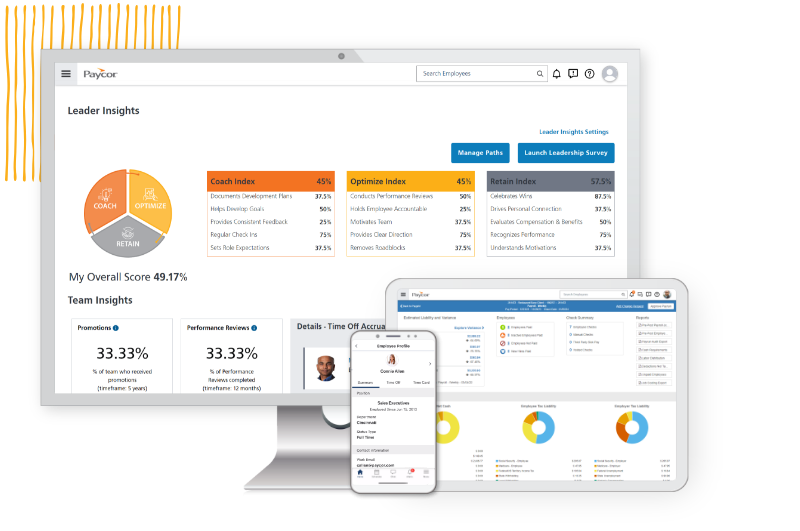
Best for: Compliance-heavy industriesType: Payroll and HR platform with compliance toolsStarting price: $99/month + $5/employee (under 50 employees)
Paycor targets regulated industries — healthcare, financial services, manufacturing — where compliance tracking and tax-credit optimization carry real financial stakes.
What it does well
- Automates tracking for ACA, FMLA, and other regulatory requirements
- Includes Work Opportunity Tax Credit (WOTC) and Employee Retention Credit (ERC) support, which can reduce federal tax liability for qualifying hires (federal tax-credit rules and amounts are set by the IRS and change independently of Paycor)
- Covers recruiting, payroll, and performance management in one system
Potential limitations
- Benefits and learning modules are priced as add-ons beyond the base plan
- More complex configurations may require professional services support
- Third-party review sites show a lower average rating than some category peers, and support experience appears to vary by plan tier
Choose Paycor if: You're in a regulated industry where compliance mistakes carry real financial risk.
Consider another option if: Your compliance needs are straightforward. Standard payroll tools may cover them without Paycor's added cost.
8. GoCo
Best for: Paperless onboarding and document managementType: Document-focused HR platformStarting price: Custom pricing (quote-based)
GoCo's main selling point is paperwork. Its Magic Docs feature auto-fills employee data into onboarding forms and collects e-signatures for onboarding, policy acknowledgments, and benefits enrollment.
What it does well
- Automates document collection and e-signature workflows for onboarding
- Offers configurable workflows that adapt to a business's existing process rather than forcing a fixed template
- Rated well on G2 for the vendor relationship experience in its category, per third-party review aggregation
Potential limitations
- Smaller ecosystem than larger platforms, with fewer community templates and third-party resources
- Not built for complex global HR requirements
- Payroll is typically handled through an external integration rather than natively
Choose GoCo if: HR paperwork and document management are the biggest operational drag.
Consider another option if: Deep global payroll or advanced people analytics are required.
9. TriNet

10. Homebase

Best for: Free HR software for hourly teamsType: Scheduling and time-tracking platform with HR toolsStarting price: Free for 1 location, up to 20 employees
For hourly teams, Homebase focuses on one thing: scheduling and time tracking for restaurants, retail, and similar shift-based businesses.
What it does well
- Offers a free plan that covers scheduling, time clock, and basic HR for one location
- Supports GPS clock-ins and optional photo verification on its mobile time clock
- Focuses specifically on shift-based scheduling, swaps, and availability
Potential limitations
- Not a full HRIS. Benefits administration, compliance tracking, and performance management require separate tools.
- Feature depth beyond scheduling and time tracking is limited
- Paid tiers are priced per location, which can add up for multi-location businesses
Choose Homebase if: You run a shift-based business where scheduling is the main daily HR task.
Consider another option if: You need a full HR system for salaried employees or performance management.
11. Namely

Best for: Scaling HR software for 50–350 employeesType: Scalable HRIS for mid-size businessesStarting price: From $9/user/month across several package tiers
Namely sits in a gap most HR software misses: too much for the smallest teams, but a good fit once you've outgrown them. It's positioned for companies between the smallest HR tools and full enterprise scale. Namely combines core HRIS, payroll, and performance management with an employee-facing news feed.
What it does well
- Combines onboarding, payroll, performance management, and org charts in one system
- Provides reporting and analytics without requiring a dedicated data team
- Offers a mobile app and interface that reviewers generally describe as easy to navigate
Potential limitations
- Built primarily for US-centric companies; global HR capabilities are limited
- Implementation timelines are longer than lightweight tools — plan for several weeks, not days
- Advanced configuration may require dedicated admin time
Choose Namely if: Your company is between roughly 50 and 350 employees and needs HR software that scales without jumping to a full enterprise platform.
12. Workable

Best for: Recruiting and applicant trackingType: Applicant tracking system with HR add-onsStarting price: $169/month (Starter plan, 2 active jobs)
Recruiting is Workable's whole focus — it's an ATS first, with lighter HR features layered on top. It posts to a large number of job boards, manages candidate pipelines, and automates interview scheduling.
What it does well
- Distributes job postings across a large number of boards from a single post
- Provides hiring funnel reporting that shows where candidates drop off
- Automates templated candidate communication throughout the hiring process
Potential limitations
- It's an ATS, not a full HR platform — a separate HRIS and payroll tool are still needed
- AI-assisted candidate scoring, where used, should be treated as a starting filter rather than a final decision tool
- Pricing runs higher than some full HR platforms for the recruiting-only scope it covers
Choose Workable if: Hiring is the primary bottleneck and a proper ATS — not a basic job-posting feature — is needed.
13. factoHR

Best for: India-based payroll complianceType: Payroll and HR platform for India-based teamsStarting price: $69/month for up to 50 employees (Core HR)
factoHR is designed for the Indian statutory and compliance environment — PF, ESI, gratuity, and related regulatory requirements.
What it does well
- Automates statutory payroll compliance specific to India
- Supports shift-heavy, distributed, and manufacturing workforce environments
- Provides a mobile-friendly interface for field-based employees
Potential limitations
- Interface design is more utilitarian than some newer SaaS competitors
- Not built for businesses with significant operations outside India
- Advanced analytics may require exporting data to external BI tools
Choose factoHR if: Your business operates in India and needs payroll software built around Indian statutory requirements.
14. HRLocker

Best for: Budget HRIS for European small businessesType: Basic HRIS for small European teamsStarting price: €4/user/month (Essentials tier)
For small European businesses, HRLocker covers the basics: employee records, document management, and time-off tracking — without enterprise-level complexity or pricing.
What it does well
- Provides digital document management and e-signatures for onboarding
- Offers a simple, small-business-focused interface
- Has offered an extended trial period for very small teams in the past; trial terms are set by HRLocker and can change
Potential limitations
- Smaller integration ecosystem than global HR platforms
- Less suited to businesses planning to scale into large, multi-country operations
- Payroll functionality typically requires additional regional integrations
Choose HRLocker if: You run a small European business and need affordable, straightforward record-keeping and time-off tracking.
15. Papaya Global
Best for: Global HR and payroll for international teamsType: Global payroll and EOR platformStarting price: From $599/employee/month (EOR)
Papaya Global handles payroll and Employer of Record (EOR) services across a large number of countries. It operates as a licensed financial services provider, which lets it manage cross-border payments and compliance directly.
What it does well
- Supports payroll and compliance management across a broad international footprint that has expanded over time
- Provides legal and compliance support when entering new countries without a local entity
- Holds recognized security certifications, including SOC 2 and ISO standards
Potential limitations
- Likely more infrastructure than a domestically focused small business needs
- Onboarding involves more compliance steps than a typical SaaS setup
Choose Papaya Global if: You're hiring across multiple countries and need formal legal infrastructure, not just a basic payroll tool.
16. Oyster HR
Best for: Remote-first global teamsType: Global EOR and contractor management platformStarting price: $29/month (contractor plan, after trial)
Oyster HR is built for remote-first teams. It lets small businesses hire compliantly across a large number of countries without setting up local legal entities, and it includes salary benchmarking and misclassification risk tools.
What it does well
- Provides country-level employment guidance built into the platform
- Manages benefits, expenses, and time off centrally for international employees
- Offers a lower-cost entry point for contractor management specifically
Potential limitations
- Most useful for genuinely multi-country teams. Single-country businesses won't use most of the platform.
- The EOR model means sharing some employer responsibilities with Oyster
- Deeper people-operations and analytics needs typically require a separate HRIS
Choose Oyster HR if: Your team is remote-first and hiring internationally without local legal entities.
17. Factorial

Best for: Affordable all-in-one HR with self-serviceType: Affordable all-in-one HR platformStarting price: $8/user/month (billed annually)
Factorial combines time tracking, performance management, document storage, and an employee self-service portal in one mobile-friendly platform.
What it does well
- Includes a QR-code clock-in feature suited to non-desk employees
- Covers time tracking, performance, and documents in one subscription
- Provides support during implementation, according to third-party reviews
Potential limitations
- Advanced analytics may require exporting data to external BI tools
- Payroll integration availability varies by region and isn't always native
- Feature rollout and documentation quality vary by region
Choose Factorial if: Affordable, all-in-one HR software with mobile self-service and reasonably fast setup is the priority.
Best HR Software by Business Situation
Starting from scratch, under 10 employeesZoho People (free up to 5 users) or Gusto if payroll is the immediate need. Avoid over-investing in a full HRIS before your processes are established.
10–50 employeesBambooHR gives a core HRIS foundation — records, onboarding, PTO, performance — without a heavy IT lift.
Hiring fastAdd Workable alongside your HRIS for a proper applicant tracking system.
Already have an HRIS, but need better engagement or performanceAdd ThriveSparrow rather than replacing the HR stack — see the modular-stack section below.
Hourly or shift-based workforceHomebase for scheduling and time clocking; Buddy Punch if accurate time-and-attendance data feeding payroll matters more than shift scheduling itself.
How to Choose HR Software for Your Small Business
Start with what's broken, not with the software. If you're not sure whether the issue is really engagement, it helps to look at how to measure employee engagement before shopping for a tool.
- Payroll and tax compliance — Gusto at small-business scale; Paycor in regulated industries.
- Employee records and onboarding — BambooHR or GoCo for an HRIS foundation.
- Scheduling and shift management — Homebase for hourly teams; Factorial for broader HR coverage alongside scheduling.
- International expansion — Papaya Global or Oyster HR for EOR and compliant global hiring.
- Engagement, retention, or performance — Keep your current HR system rather than replacing it for this reason alone.
- If the only gap is the review cycle, dedicated performance review software may be enough.
- If the gap spans goals, feedback, recognition, and engagement, a broader modular tool like ThriveSparrow may be a better fit.
- Hours and time off — Buddy Punch for accurate punches and PTO feeding into payroll.
A few practical checks before committing to any tool:
- Check pricing at double your current headcount. Tools that fit at 10 employees sometimes create a painful migration at 50.
- Test the employee experience, not just the admin view. If staff find the interface confusing, they'll work around it, and you'll end up running two systems.
- Ask about data export before you sign. Understand what an export looks like and whether it carries a fee, before you need it.
When You Should Choose a Modular HR Stack
If your core HR or payroll system already works, replacing it to fix an unrelated problem is usually the wrong move. That's exactly what the modular model is designed for.
Here's a common pattern: payroll and employee records are handled fine by Gusto, BambooHR, or another HRIS. But there's no real visibility into how employees feel, whether goals are on track, or whether managers are running consistent 1-on-1s and reviews. That's a different problem than the one an HRIS solves. It usually doesn't require replacing the HRIS to fix it.
ThriveSparrow is built for that specific gap — performance reviews, goal tracking, pulse and eNPS surveys, and peer recognition — layered on top of the HR system already in place, rather than replacing it.
What Should Small Businesses Automate First?
Once core HR software is in place, automate in this order:
- Admin work — document collection, onboarding paperwork
- Manager workflows — review and 1-on-1 reminders
- Performance — ongoing check-ins instead of once-a-year reviews
- Engagement — recurring pulse surveys instead of a single annual survey
Final Verdict
There's no single best HR software for every small business — the right choice depends on the specific problem you're solving:
Already have payroll and core HR covered? Add performance, goals, feedback, and engagement without replacing your existing HR stack.
Try ThriveSparrow free for 14 days →
Frequently Asked Questions About HR Software for Small Businesses
1. What is the difference between HR software, HRIS, HRMS, and HRM software?
HR software is the broad term for tools that help manage employees. HRIS usually focuses on employee records and core HR data, while HRMS and HRM can refer to broader HR platforms that include areas such as performance and talent management. The terms overlap, so focus on what the software actually does.
2. What is the best HR software for a small business?
It depends on the problem you're solving. Gusto is a common choice for payroll and HR combined in US-based small businesses. BambooHR is a widely used starting point for core HRIS and onboarding without payroll. Zoho People offers a free plan for very small teams. ThriveSparrow addresses engagement and performance on top of an existing system. There's no single universal winner — match the tool to your current gap.
3. Is there free HR software for small businesses?
Yes. Zoho People offers a free plan for up to 5 users covering a basic employee database and time-off tracking. Homebase offers a free plan for a single location with up to 20 hourly employees, covering scheduling and basic time tracking.
4. Do small businesses need an HRIS?
Not always, and not immediately. If payroll is already handled by an accountant or a basic payroll tool, and your team is small, a full HRIS can be more than you need at first. Match the tool to your actual bottleneck — scheduling, document management, engagement, or something else — rather than defaulting to an all-in-one platform.
5. Can I use HR software alongside the payroll software I already have?
Yes. If payroll is already handled — by Gusto, QuickBooks Payroll, or an accountant — you don't necessarily need to replace it to fix a different problem. A dedicated tool for the actual gap (recruiting, scheduling, engagement, performance) can sit alongside an existing payroll system rather than replacing it.
6. What is the best HR and payroll software for small businesses that already use payroll software?
If payroll is already covered, the more useful question is what's still broken. Employee records and onboarding gaps point to an HRIS like BambooHR or GoCo. Recruiting gaps point to an ATS like Workable. Scheduling gaps point to a workforce tool like Homebase. Performance, feedback, or engagement gaps are where a modular, add-on tool fits alongside the existing payroll system rather than replacing it.


