











Let’s be honest — choosing talent management software isn’t “fun research.” It’s usually you with 15 tabs open, five tools that look the same, and one big fear: “What if we buy the wrong one… and managers never use it?”
Over the past few months, I’ve talked with HR leaders, people‑ops teams and a few very candid CFOs who’ve either just bought a platform or are quietly regretting the one they picked, and I’ve spent time inside these tools myself — running test reviews, surveys and recognition flows, and asking what actually gets used versus what only looks good in a slide.
What’s clear is that talent management now means performance, engagement, goals, development, recognition and retention — and doing all of that without stitching together four systems that don’t talk to each other in a market already worth well over 13.52 billion USD and still growing.
So this guide is a filtered list of 12 tools that kept coming up in real conversations — what each is good at, what you’ll love, what might annoy you, and how to pick one your managers will actually use.
If you want to zoom out first, we’ve also broken down what talent management really is and how it works in a separate guide — helpful context before you choose a platform.
How I chose these tools (so you don’t test 30)
Before you commit to yet another platform, it helps to know why these twelve made the cut and others didn’t.
I focused on tools that:
- Keep showing up in conversations with HR and people‑ops leaders — not just in ads.
- Have solid user ratings and visible traction, not just a pretty homepage.
- Play reasonably well with modern stacks (Slack/Teams, HRIS, SSO, payroll).
- Help you act on data (surveys → action plans, reviews → goals), not just collect it.
- Have pricing and packaging you can at least sanity‑check during an evaluation.
Then in demos and hands‑on trials, I kept asking the same question:
“What does a normal month look like for a busy manager in this tool?”
If the honest answer was “they log in once a year at review time,” it didn’t make this list.
Without further ado, here’s a quick glance at the tools first.
12 Best Talent Management Software of 2026
1. ThriveSparrow
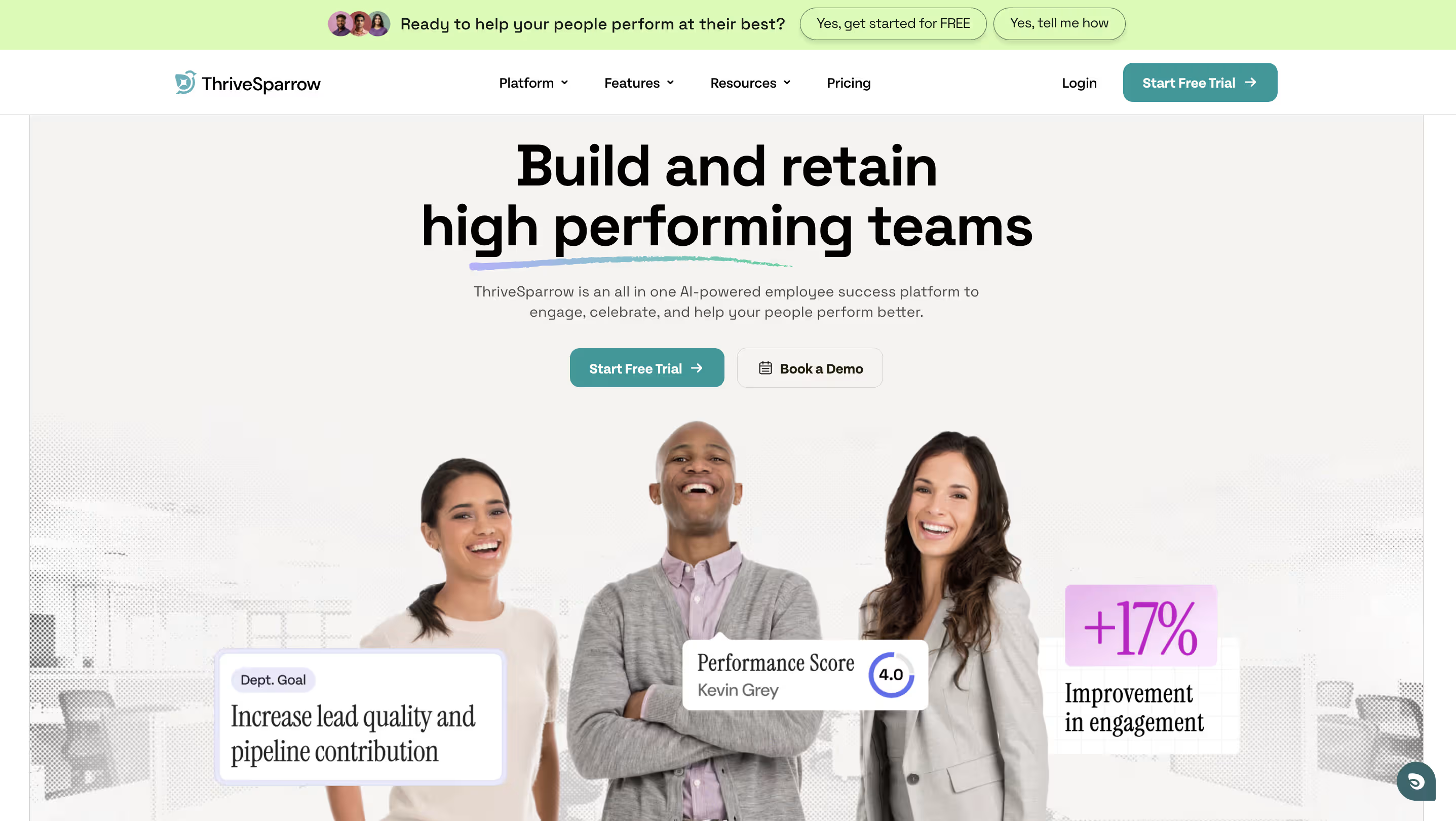
If you want talent management to feel connected instead of scattered, ThriveSparrow is the strongest all‑in‑one option on this list for performance, engagement and recognition.
In practice, you’re not just buying a review tool. You’re building a system where:
- engagement insights don’t sit idle,
- recognition reinforces the behaviors you want more of, and
- HR doesn’t have to chase managers for review updates every quarter.
A fairly typical month with ThriveSparrow looks like this: you run a short pulse survey; managers get AI‑assisted insights and suggested focus areas; they recognize people in Slack or Teams for progress on those themes; and you review everything in a single dashboard instead of juggling three point solutions.
Best for
Growing teams that want performance + engagement + recognition in one connected platform that regular people (not just HR) will actually use.
Key features
- Performance reviews and 360° feedback with structured templates and AI‑assisted development plans.
- Engagement surveys and pulse checks with heatmaps, segmentation and AI‑powered text sentiment.
- Peer recognition (Kudos) that lives in Slack/Teams and ties shout‑outs to your values.
- Action plans that assign owners and timelines so survey and review insights don’t die in a slide deck.
If you’re rethinking your engagement approach, our guide on creating and distributing engagement surveys in minutes shows you how to go from questions → actions without getting lost in tools.
What you’ll like:
- Feels modern and intuitive — less “legacy enterprise portal,” more “tool I don’t dread opening.”
- Connects the dots between engagement, performance and recognition instead of treating them as separate projects.
- Built with HR, managers and employees in mind, so adoption doesn’t rest on one group alone.
What you might not like:
- It’s not a payroll or finance system — you’ll still need a separate HCM/payroll if that’s your main gap.
- If you’ve already gone all‑in on a heavyweight suite like Workday/UKG, you’ll need to decide whether to overlay it or consolidate.
- If hiring is your only burning issue, you’ll still want a dedicated ATS like Greenhouse.
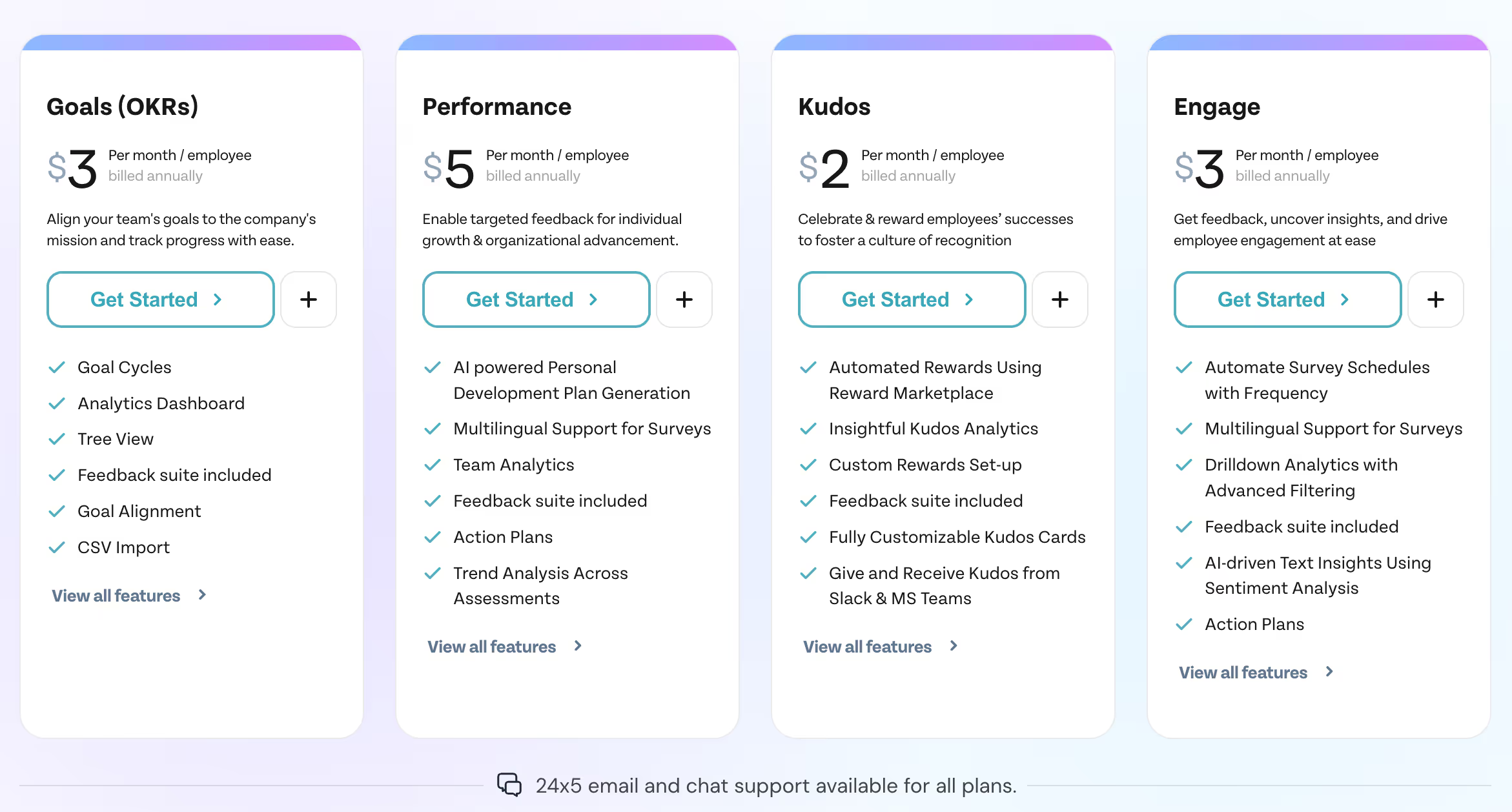
Pricing
.svg)
2. Workday

Workday is what you choose when you’re operating at real enterprise scale and need HR, finance and planning in one tightly governed system.
Best for
Large organizations that need deep HCM workflows, complex reporting and strict governance across multiple entities and geographies.
Key features
- Broad HCM suite spanning HR, payroll, finance and planning.
- Talent and learning modules integrated with that core.
- Sophisticated reporting and analytics for complex org structures.
What you’ll like:
- Built for scale with robust workflows, approvals and controls.
- Deep ecosystem of partners, integrations and consultants.
- Handles complex org charts, multiple entities and compliance better than most mid‑market platforms.
What you might not like:
- Implementation is a serious project — think months, not weeks.
- Often overkill if you’re SMB or lean mid‑market.
- Less friendly to scrappy experiments and quick iterations than lighter tools.
Pricing
Workday doesn’t publish standard pricing; everything is quote‑based and typically tied to multi‑year enterprise contracts.
3. Bamboo HR

BambooHR stays popular because it gets your HR basics under control without making the system itself a full‑time job.
Best for
SMBs and mid‑sized teams that want a simple, reliable HRIS foundation with optional add‑ons for performance and engagement.
Key features
- Core HRIS: employee records, time‑off, workflows, basic reporting.
- Optional modules for performance, time tracking and more.
What you’ll like:
- Simple, approachable UI — easy to roll out without heavy training.
- Strong HR basics to get you out of spreadsheets.
- Great choice if you want “solid and dependable” more than “feature‑dense and complex.”
What you might not like:
- If you want deep talent‑suite depth (succession, advanced analytics, development), you may eventually outgrow it.
- You’ll often pair it with other tools for richer engagement, recognition or performance.
- You still need to design your overall talent strategy; BambooHR won’t do that for you.
Pricing
BambooHR publicly states pricing starting at around 10 USD per employee/month, with flat monthly options for very small companies (≤25 employees).
4. UKG

UKG Pro excels at leveraging sophisticated data to understand employees. In other words, it helps convert complicated employee analytics data into an easy and understandable form for managers to act upon. It provides future analytics and data-driven insights in addition to HR data. This helps organizations make informed decisions, organize their workforces, and function more effectively.
Best for
Mid‑market to enterprise teams that want workforce management + payroll + people analytics in one environment.
Key Features
- UKG Pro provides workforce management tools for time and attendance tracking, scheduling, and labor management.
- The platform facilitates continuous performance feedback, employee development, and aligning individual goals with organizational objectives.
- ESS functionalities contribute to increased employee engagement and empower individuals to handle routine HR tasks independently.
What you’ll like:
- Strong workforce management and compliance backbone.
- Built to support complex structures and multiple locations.
- Good fit when you want unified workforce and HR data.
What you might not like:
- Quote‑based pricing that can fluctuate a lot based on configuration.
- Setup and ongoing admin can feel heavy if you’re after something lightweight.
- UX can feel more “traditional enterprise” than “consumer‑grade.”
Pricing
UKG Pro is quote‑based; standard pricing is not listed publicly.
5. Paycor
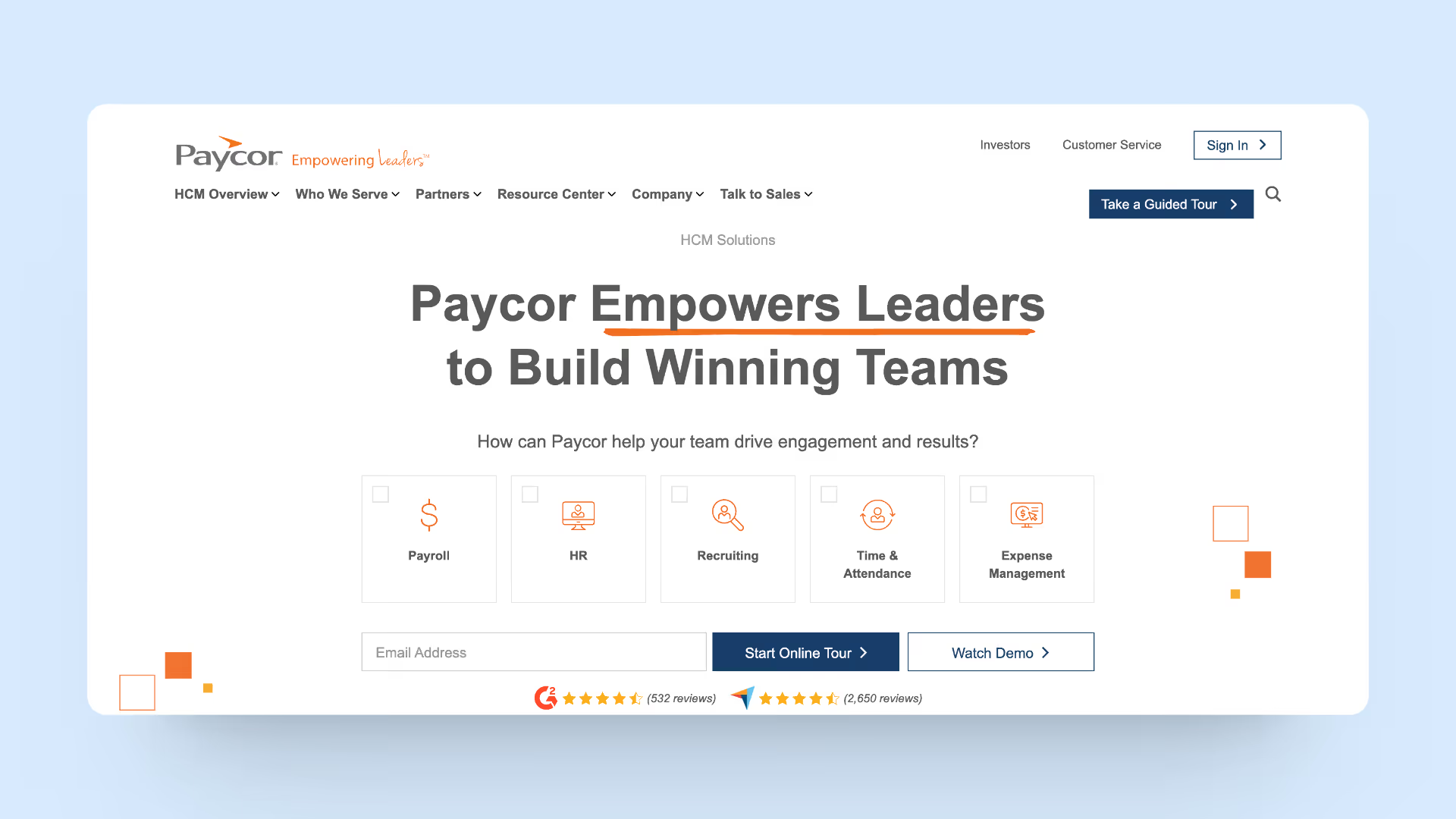
Paycor is a trusted choice for over 40,000 businesses, including Wendy's and Detroit Zoo, for its comprehensive HR and payroll solutions. Recognized by G2 and Capterra for its efficiency, Paycor excels in areas like talent acquisition, workforce management, and benefits administration, aiding leaders in building and nurturing high-performing teams.
Paycor helps businesses with industry-specific demands. Manufacturing, healthcare, and other specialized fields can use Paycor's products. It ensures HR procedures suit your company, improving compliance and production.
Best for
Small‑to‑mid‑sized teams that want payroll‑centric HR with defined packages.
Key Features
- Paycor offers services related to tax credits, helping organizations identify and take advantage of available tax credits.
- Some versions of Paycor include a Learning Management System, providing tools for employee training and development.
- Paycor typically includes benefits administration features, allowing organizations to manage employee benefits such as health insurance, retirement plans, and other perks.
What you’ll like:
- Clear, packaged plans that are easy to compare.
- Strong payroll‑rooted approach if that’s your main pain.
- Helpful step up from bare‑bones payroll providers.
What you might not like:
- If engagement and performance are your biggest priorities, you’ll likely add another layer.
- Feature depth varies significantly across plans.
- Best fit when payroll is the center of gravity, not when culture is.
Pricing
For businesses under 50 employees, Paycor lists base + per‑employee pricing; larger organizations get custom quotes.
6. Rippling
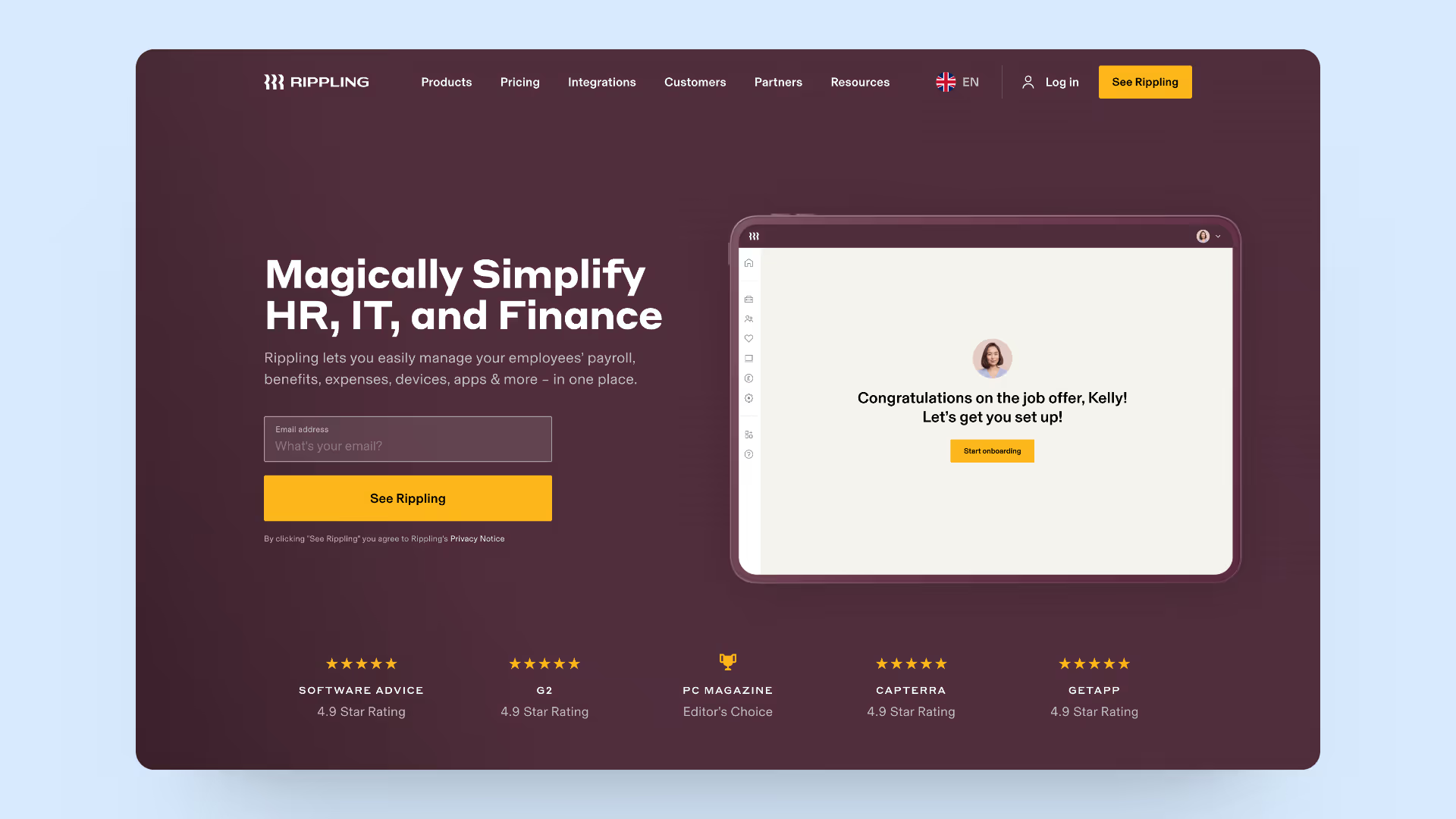
Rippling stands out as a highly-rated workforce platform, perfect for businesses of all sizes. It simplifies HR, IT, and Finance management by integrating payroll, benefits, device, and app management into a single, user-friendly system. Ideal for global teams, Rippling offers a unified solution for effortless scaling, compliance, and efficient management of diverse workforce needs.
Best for
Fast‑growing teams that want automation and cross‑department workflows across HR, IT and finance.
Key Features
- Rippling unites employee data with workflow management. This covers onboarding, offboarding, personnel records, and compliance. The software centralizes personnel data and automates administrative chores to expedite HR operations and decrease mistakes.
- Automation: Rippling goes beyond HR with automated IT provisioning. This capability lets companies control employee email, software, and hardware access.
What you’ll like:
- Saves a lot of time on repetitive admin via automation.
- Makes HR + IT collaboration sane, especially for access and devices.
- Scales nicely for distributed or global teams when configured well.
What you might not like:
- Costs can scale quickly as you add modules.
- Feels like a true platform — you need someone to own it properly.
- Experience depends heavily on the bundle you choose.
Pricing
Rippling outlines the per‑employee, modular model but keeps actual pricing quote‑based.
7. 15Five

15Five offers a unique approach to performance management, transcending traditional platforms by transforming data into actionable insights. Trusted by over 3,500 organizations including HubSpot and Credit Karma, 15Five's AI-driven system not only measures but actively improves team performance and engagement. It stands as a strategic tool for HR, providing a comprehensive dashboard and tools for effective management and employee development.
15Five puts a lot of value on having engaged employees. It uses recognition, feedback, and pulse surveys to inspire employees. 15Five helps firms improve their environments so employees are happier, so much more productive, and more inclined to remain.
Best for
Companies that want engagement, feedback and performance conversations to become part of the weekly rhythm.
Key Features
- Science-backed prompt surveys: Send them throughout your company in 2 clicks.
- Impact analysis: View engagement data in the HR outcomes dashboard.
- Customized Surveys: Use best-practice templates for engagement, manager effectiveness, DEI, and more to customize surveys for your firm.
- In-House Advising and Coaching: Executive advisers draft engagement strategies.
What you’ll like:
- Built‑in cadence for feedback, goals and check‑ins.
- Great for turning “continuous performance” from a buzzword into something people actually do.
- Clear packaging if you want the full platform.
What you might not like:
- It’s not an HRIS or payroll; you still need those separately.
- You get the most value when you commit to the cadence, not when you dabble.
- You still have to bring your own talent philosophy; the tool won’t invent it.
Pricing
Engage: $4 per user per month (billed annually)
Perform: $11 per user per month (billed annually)
Total Platform: $16 per user per month (billed annually)
8. Namely
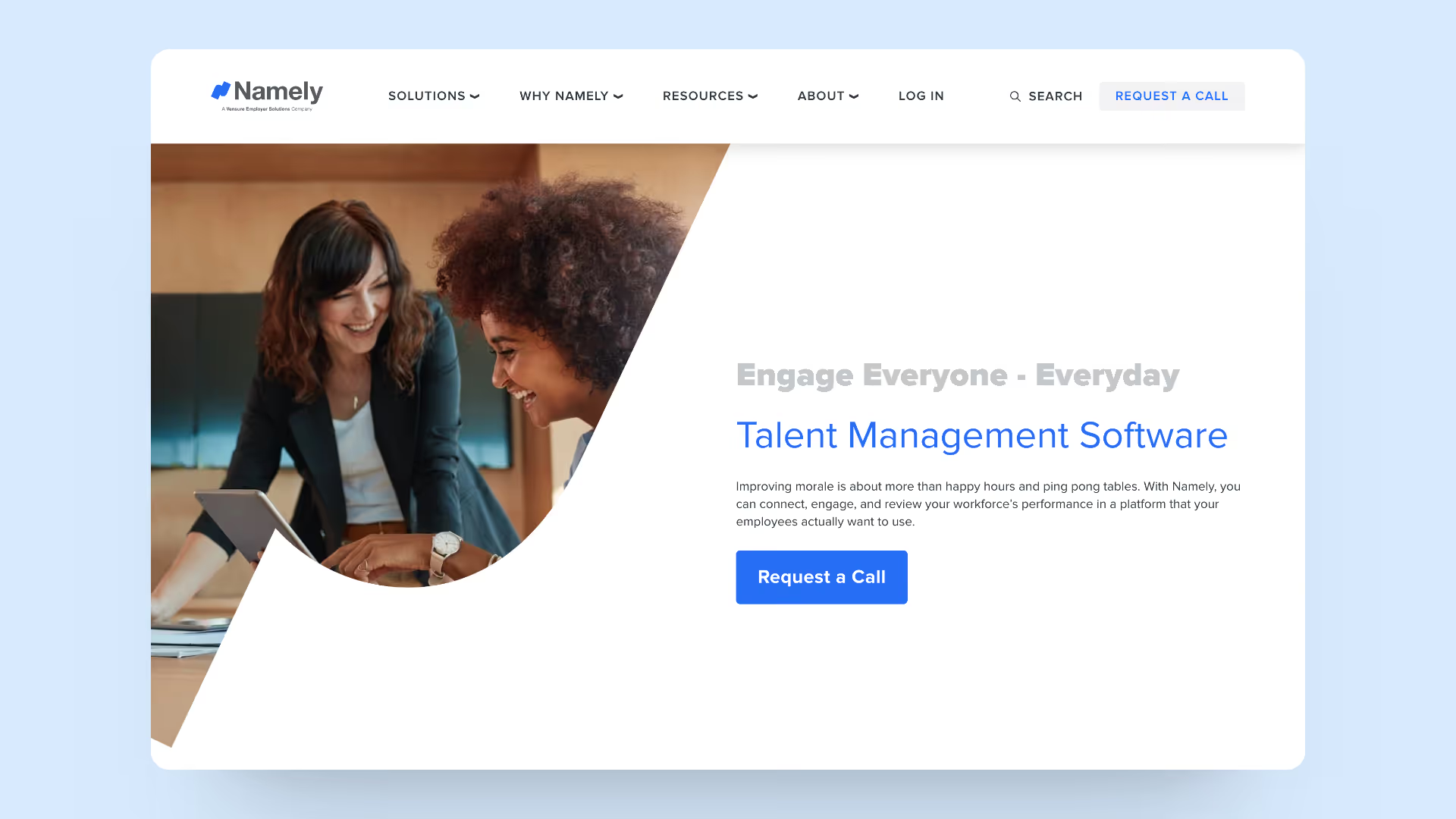
Namely goes beyond traditional talent management by offering a platform that employees genuinely enjoy using. It's not just about fun perks; Namely focuses on meaningful engagement and performance review, offering tools like goal tracking and continuous feedback. Ideal for businesses seeking to attract and retain top talent, Namely empowers HR with strategic solutions to boost morale, reduce turnover, and align individual goals with company objectives.
Namely excels at social HR products that connect employees. With employee profiles, social media, and collaboration tools, the organization seems like a neighborhood. It enhances staff relations and teamwork by encouraging communication, thus improving business morale.
Best for
Mid‑sized companies that want HR + payroll + an employee‑facing experience in one system.
Key Features
- Namely's integrated HR and payroll software is extensive. This interface simplifies HR procedures by centralizing employee data, payroll, benefits, time tracking, and other HR duties.
- It lets workers update their personal information, check pay stubs, request time off, and manage benefits.
- Namely's powerful reporting and analytics capabilities allow HR professionals and company leaders to create customized reports and analyze HR data.
What you’ll like:
- More people‑centric feel than some traditional HRIS tools.
- Convenient if you want HR and payroll under one vendor.
- Supports engagement‑adjacent workflows on top of HR operations.
What you might not like:
- Beyond the entry product, pricing usually comes through sales.
- You may still want deeper tools for analytics, performance or engagement.
- Fit depends heavily on how you configure modules and services.
Pricing
Namely Now starts at around 9 USD per employee/month; other offerings are customized.
9. HiBob
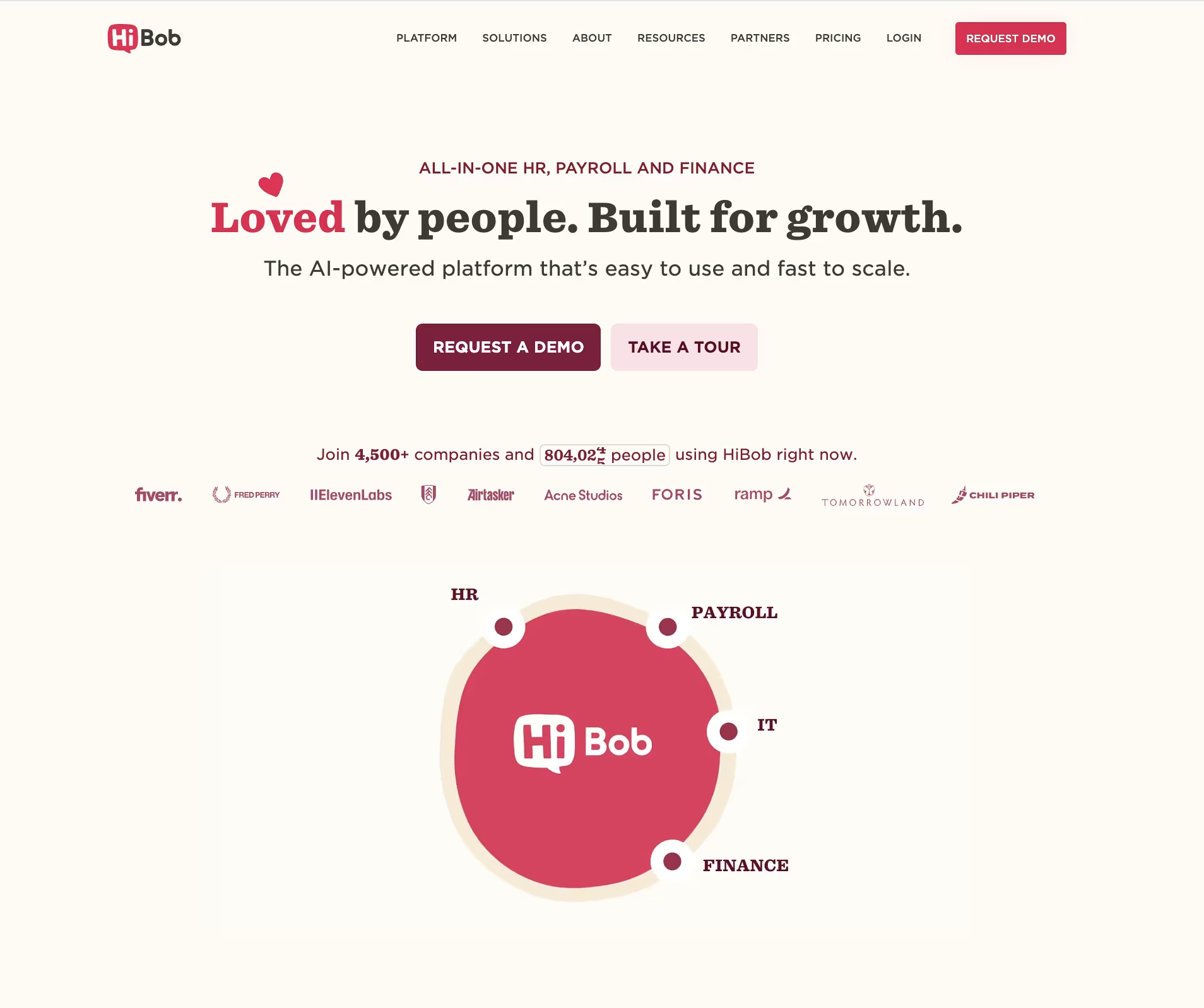
HiBob offers a revolutionary approach to performance management, integrating every aspect of the process into a seamless, centralized platform. With its 360° review capabilities, Bob empowers employees with complete career insights, enabling fair and comprehensive evaluations. It's designed for flexibility, allowing personalized goal setting and providing valuable insights for continuous development, making it ideal for teams of any size or location.
If you believe that culture is the foundation of a successful business, we urge you to take a look at Bob. If you think cooperation and the environment make a business thrive, BINGO. It helps create a business culture, recognize people, and provide prizes. Bob promotes a healthy workplace to attract and retain talent.
Best for
Modern, often distributed teams that want HR workflows plus strong culture and employee‑experience features.
Key Features
- Culture Building and Recognition: Bob seems to focus on corporate culture by offering tools and features to create a good and collaborative workplace. This may involve staff recognition, teamwork, and value reinforcement.
- Staff Engagement and Motivation: The platform appears to reward individual efforts to boost staff engagement and motivation. Bob may give awards and recognition to make employees feel valued, motivated, and more willing to help the firm succeed.
What you’ll like:
- Very modern UI and people‑first design.
- Good at keeping distributed teams feeling connected and informed.
- Supports culture programs alongside HR operations.
What you might not like:
- Pricing is fully quote‑based.
- Might be more than you need for very small teams.
- Admins need to be deliberate about setup to get full value.
Pricing
Bob pricing is available via demo and custom quote.
10. Trivie

Tech keeps changing around us, and the only way to keep up is through continuous learning. Trivie specializes in microlearning with its quick, live courses, which help employees upskill without feeling overwhelmed. The lessons are simple, fascinating, and easy to read. This strategy boosts employees' abilities and knowledge without overwhelming them, making learning new things easy and pleasant for everyone.
Trivie redefines workforce training by blending AI-generated tools, gamification, and community interaction into a modern engagement platform. Preferred by top companies like McDonald's and GE Healthcare, Trivie ensures enjoyable, effective learning experiences. Its unique approach boosts long-term knowledge retention, allowing employees to remember over 90% of training a year later. With high-definition analytics, Trivie transforms learning into actionable insights, making it a go-to solution for enhancing organizational effectiveness across various domains like onboarding, sales, and cybersecurity.
Best for
Teams that want training reinforcement and better knowledge retention.
Key Features
- Combines AI-generative tools, community elements, and gamification for an engaging learning experience.
- Includes gamification features like leaderboards and badges to maintain high engagement.
- Provides clear, actionable reports and insights for continuous improvement in knowledge transfer.
- Versatile for various training needs including onboarding, sales, safety, cybersecurity, and compliance.
What you’ll like:
- Easy‑to‑consume format for busy employees.
- Great for keeping compliance and skills training alive over time.
- Works nicely alongside broader talent platforms.
What you might not like:
- Not a full talent management suite — focused on learning/reinforcement.
- Pricing is quote‑based.
- You still need HRIS and performance tools in your stack.
Pricing
Quote‑based; contact Trivie for details.
11. Greenhouse

Greenhouse is the go-to operating system for companies prioritizing people in their hiring process. It streamlines everything from sourcing to onboarding, empowering teams to make informed, unbiased, and confident hiring decisions. With tools for reducing bias, improving diversity, and enhancing team efficiency, Greenhouse is an all-in-one solution for optimizing the hiring journey.
Best for
Companies with serious hiring volume and distributed recruiting teams.
Key Features Include
- Greenhouse emphasizes organized interviewing to improve consistency and fairness.
- It has powerful analytics and reporting features. Users can measure KPIs, evaluate hiring pipeline data, and obtain insights into their recruitment operations.
- It also helps recruiting teams collaborate by offering a platform for discussion and feedback. The technology allows hiring managers, recruiters, and other team members to exchange applicant information, interview feedback, and agree on recruiting choices.
What you’ll like:
- Forces helpful structure into hiring (in a genuinely useful way).
- Helps reduce bias and “random gut feel only” decisions.
- Makes scaling recruiting less chaotic.
What you might not like:
- Not a full talent suite; it focuses on hiring.
- Pricing is shared via demo, not a public grid.
- You still need performance, engagement and development tools elsewhere.
Pricing
Quote‑based; request a demo for pricing.
12. HealthStream

The healthcare industry cannot be compared to any other sector of business. HealthStream is made just for the healthcare business. To be honest, the healthcare sector is unique in business. HealthStream is for healthcare employees. It issues medical licenses, trains healthcare personnel, and monitors regulatory compliance to suit healthcare enterprises' safety and demands. HealthStream ensures healthcare firms follow HR guidelines to deliver excellent patient care and comply with regulatory regulations.
Best for
Healthcare organizations that need training, compliance and credentialing workflows.
Key Features
- The HealthStream LMS is designed for the healthcare business. This software helps healthcare businesses organize, provide, and track staff training and education.
- It offers credentialing and privileging solutions for healthcare practitioners. Credentialing verifies a healthcare professional's credentials and history, whereas privileging offers clinical privileges based on their expertise.
- Performance management systems, competence assessment modules, and other features assist healthcare businesses analyze staff abilities, identify areas for growth, and design focused development programs.
What you’ll like:
- Purpose‑built for healthcare compliance.
- Fits regulated environments better than generic tools.
- Helpful where credentialing and training are mission‑critical.
What you might not like:
- Not designed for general, cross‑industry use.
- Pricing is not public and varies by package.
- Might feel too specialized if you’re not deeply in healthcare.
Pricing
Contact HealthStream for pricing and marketplace‑based packages.
How to choose talent management software (without overthinking it)
Here’s the simplest way I’ve seen teams avoid decision paralysis — instead of comparing every feature table, ask these five questions and be painfully honest with the answers.
1. Do you want all‑in‑one or a “best‑of‑breed” stack?
- Go all‑in‑one if you’re tired of juggling separate tools for surveys, reviews, recognition and goals. You’ll trade “perfect in one area” for “good enough across the board but actually used.”
- Go best‑of‑breed if you already have systems you absolutely won’t touch (for example, a mature ATS or payroll) and you’re happy to integrate around them.
Pro tip: grab a notepad and write down the systems you refuse to change in the next 2–3 years (for example, “we’re not touching payroll” or “Greenhouse is non‑negotiable”). That list quietly decides how “all‑in‑one” you can realistically be.
2. Will managers actually use it?
This is the silent deal‑breaker. If managers hate it, your HR team ends up doing the heavy lifting by hand.
In demos, don’t just watch the vendor drive. Ask one manager to share their screen and:
- open a 1:1 agenda,
- leave feedback, and
- complete a review task for a fake direct report.
If they’re lost after two or three clicks, adoption will be rough — no matter how good the feature list looks.
3. Does it help you act on data, not just collect it?
Dashboards are nice, but what you really need is a way to turn signals into follow‑through.
Look for:
- Engagement tools that go beyond scores and heatmaps and give you action plans, owners and suggested next steps.
- Performance tools that turn review comments into goals, coaching notes and follow‑up check‑ins, not static PDFs.
If you’ve run surveys before that went nowhere, our guide on designing engagement surveys with clear follow‑up plans walks through how to go from “we learned X” to “we did Y about it.”
4. Does it scale with your structure?
If you’ve got multiple teams, locations or growth plans, you’ll want:
- Flexible org structures (departments, locations, reporting lines).
- Filtering by manager, tenure, country or job family.
- Permissions that don’t require IT for every new “view.”
On demos, ask something like:
“Show me how I’d pull a report for first‑year employees in Customer Support under Manager X.”
If that’s painful, scaling the system will be too.
5. Does it fit where work already happens?
Slack, Teams, HRIS, email — whatever your people already live in, your talent tool should respect that.
- For engagement: in‑flow pulse surveys and nudges that don’t require a separate login.
- For performance: agendas and review tasks that connect to calendars and collaboration tools.
- For recognition: shout‑outs that live in Slack/Teams instead of yet another platform you have to remind people about.
Make your talent platform actually count
Here’s what I see separate the teams who get real value from their talent software from those who say “we bought it, but nobody really uses it.”
- Use your talent data in real decisions.
Once a quarter, ask managers to pull 3–5 examples from your talent platform — review comments, survey themes, recognitions — into promotion, calibration or team‑planning discussions. Tell people upfront: “If it’s in the system, we’ll look at it when we talk about growth and rewards.” It turns the tool into part of the story, not just an annual ritual. - Be open about changes instead of pretending you nailed it on day one.
Almost every HR team I’ve spoken with changed budgets, workflows or value tags after a few months of real use. Saying “we heard that X felt off, so we’re changing Y” builds more trust than pretending the program is perfect. It keeps your talent system feeling alive instead of frozen.
If you’re updating your review process alongside picking software, our performance review phrases library is a handy companion when you’re building templates or helping managers turn “you’re doing great” into feedback that actually helps.


