











72% of workers say they don't trust their company's performance management process. And only 2% of CHROs believe their system inspires real improvement. Those aren't legacy stats, they're from Deloitte's 2025 Global Human Capital Trends survey, based on nearly 10,000 business and HR leaders across 93 countries.
If your performance review software isn't driving results, you're not alone. Most performance management systems fail because they're chosen based on features rather than fit. The wrong performance management tool wastes time, frustrates employees, and leaves executives unable to make informed decisions about performance.
So if you're tired of software that promises the world but delivers headaches, this guide is for you. We'll walk you through exactly how to evaluate and choose performance review software that actually works for your team — not just on paper, but in practice.
What the industry is saying:
What Is Performance Review Software?
Performance review software is a digital platform that automates employee evaluation processes, tracks performance metrics, and facilitates structured feedback between managers and employees. Organizations use this technology to set goals, collect feedback from multiple sources, and conduct formal performance assessments during defined review periods. The software replaces manual paperwork and spreadsheets with centralized systems that store performance data, automate workflows, and generate insights about employee productivity.
Think of it as the difference between juggling sticky notes and having everything organized in one place where it actually makes sense.
But here's what most definitions miss: the best performance review software doesn't just digitize your existing review process. It fundamentally changes how your people experience feedback. When Gallup reports that employees who receive meaningful weekly feedback are 80% more likely to be fully engaged, the tool you choose becomes the mechanism that either enables or blocks that engagement.
How Performance Review Software Works
Performance reviews follow a structured sequence within the software platform — but the good news is that most of the heavy lifting happens automatically.
The Review Process
- Role & job description updates — Managers discuss the employee's role and update job descriptions to reflect current responsibilities.
- 360-degree evaluations — The system aggregates feedback from peers, managers, and direct reports for a well-rounded review.
- Self-assessments — Employees complete their own evaluations through the platform, increasing their involvement in the process.
- Manager assessments — Managers submit written assessments documenting their analysis of each employee's performance.
- Goal setting — The final step involves setting performance and professional development goals, which maintains motivation and drives engagement.
Reporting & Insights
- Automated reports — The software generates reports automatically, saving time and enabling more frequent evaluations.
- Visual dashboards — At-a-glance summaries of performance data highlight key metrics.
- Trend identification — Managers can quickly spot performance trends and provide course corrections when employees struggle.
Performance Review Software vs Performance Management System
Here's where things get interesting — and where many companies make expensive mistakes.
Why This Distinction Matters When Choosing Software
Understanding the difference between these two is critical before you invest. Many companies end up paying for a full performance management system when they only need review software — or worse, they buy basic review tools and wonder why employee engagement doesn't improve. Knowing exactly what you need helps you avoid overspending, choose the right feature set, and ensure the software actually solves the problem you're trying to fix.
Why Your Company Needs Performance Review Software
Manual performance tracking drains resources from the work that actually drives business results. When companies rely on spreadsheets and paper-based reviews, they create structural inefficiencies that compound as organizations grow.
1. Eliminates Manual Performance Tracking
Picture this: Finance exports data from one system, managers maintain separate tracking sheets, and HR spends hours reconciling everything manually before reviews. Sound familiar?
How manual processes fail quietly:
- Extended reporting cycles that delay decision-making
- Version confusion during leadership meetings
- Dependency on individual employees to consolidate data across systems
- Calculation errors and lack of standardization caused by human oversight and fatigue
That's hours not spent identifying development opportunities or addressing performance gaps — and these errors lead to flawed records that undermine trust in the evaluation process.
A company with about 10,000 employees spends around $35 million a year on annual reviews, according to research cited by the Corporate Executive Board in The Washington Post.
What performance review software changes:
- Automates data collection — eliminates repetitive manual entry
- Pulls directly from source systems — removes last-minute reconciliation efforts
- Updates in real time — managers get current visibility instead of outdated, month-end snapshots
2. Provides Data-Driven Performance Insights
Without automation, managers spend more time validating data than actually analyzing it, arriving at final assessments with skewed perspectives from prolonged data immersion.
Performance management systems flip this dynamic with dashboards that surface outliers and trends automatically.
What the software enables:
- Automatic KPI tracking with early warnings when metrics trend negatively
- Pattern recognition — identifies correlations and anomalies, generating improvements based on historical data
- Flexible analysis — filter performance by individual, manager, or department
- Real-time analytics — faster course corrections and immediate recognition when employees exceed expectations
This turns performance conversations from subjective discussions into evidence-based assessments grounded in measurable outcomes.
3. Improves Employee Engagement and Retention
Companies that focus on employee performance through structured systems are 4.2x more likely to outperform peers, achieving higher revenue growth with significantly lower attrition.
Performance management software creates this advantage by facilitating continuous feedback and making progress visible.
How the software drives engagement:
- Moves beyond annual reviews to ongoing performance conversations
- Lets employees track goals and receive regular manager input on progress
- Creates visibility into how individual work connects to organizational strategy
- Provides clarity on strengths and development areas — something manual processes cannot match
The gap between a disengaged employee and an engaged one often comes down to whether someone told them they were on the right track this week — not this year.
4. Scales With Your Growing Organization
Manual reporting systems lack the governance and automation needed for scalability. What once required two days extends to two weeks as companies add product lines or enter new markets.
How performance review software scales with you:
- Handles increased user volume without proportional increases in HR work
- Supports multiple review cycles running simultaneously
- Adds new employees, departments, or locations without rebuilding your tracking infrastructure
- Maintains consistency across teams and geographies while offering flexibility for different roles
Key Features to Look for in Performance Review Software
Not all performance management software delivers the same value. The right features determine whether your platform becomes indispensable — or gets abandoned after the first quarter.
Here's what actually matters when you're evaluating options.
1. Customizable Review Cycles and Templates
Your review schedule shouldn't be dictated by your software. Organizations operate on different timelines — quarterly, biannual, or project-based. Flexible performance evaluation software adapts to how you work, not the other way around.
- Standardized templates keep evaluations consistent across departments and eliminate guesswork
- Rubric-based templates let managers define exactly what "exceeds expectations" looks like — giving you quantifiable measurements instead of vague assessments
One thing to watch for: PerformYard's 2025 State of Performance Management Report found that review forms with too few questions (five or fewer) have the lowest completion rates, while overly long forms create fatigue. The best software gives you the flexibility to find that balance for your team.
2. Goal Setting and Progress Tracking
SMART goals aren't just a buzzword — they're essential for meaningful performance management. Your software needs to connect individual goals to broader company objectives so everyone understands how their work drives results.
- Centralized goal tracking — when employees enter goals into the system, they treat them with the importance they deserve
- Progress visibility — track and filter by department, employee, due date, or evaluation type
- Early roadblock detection — identify obstacles before they derail progress
A nuance most buyers miss: Employees set their own goals in just over 50% of companies, while managers set them in about 40%. The best software supports both — and ideally, a collaborative model where goals are co-created. That collaborative process itself becomes a performance conversation.
3. 360-Degree Feedback Capabilities
Performance isn't one-dimensional, and neither should your feedback be. 360-degree feedback gathers input from peers, direct reports, and supervisors to create a complete picture — anonymous or attributed, whatever fits your culture.
- Multi-perspective reviews deliver more equitable evaluations
- Rating calibration helps managers compare assessments across teams and reduce bias
- Minimizes unconscious biases that creep into traditional top-down evaluations
The adoption numbers tell a story: 73% of leading U.S. organizations now use 360-degree feedback, and 75% of those report it works well. But here's the catch — it only works when the platform makes participation seamless. If collecting multi-rater feedback requires email chains and spreadsheet wrangling, completion rates tank.
4. Real-Time Performance Analytics and Reporting
Dashboards should tell a story, not just display numbers. Strong platforms provide visual summaries that help managers spot trends quickly and course-correct when needed.
- Department-level pattern recognition — catch small issues before they become major problems
- Top performer identification — highlight who's excelling and where additional support is needed
- AI-powered analytics — Gartner reports that 46% of HR managers now use AI tools for goal tracking, feedback analysis, and suggesting training paths
Platforms offering AI-driven sentiment analysis and trend detection are pulling ahead of those that simply chart raw numbers.
5. Integration With Your HR Tech Stack
Performance data works best when it connects to everything else.
- Sync with your HRIS, payroll, LMS, and ATS — eliminates duplicate data entry and creates a single source of truth
- Workflow tool integration (JIRA, Asana, etc.) — brings performance conversations into the spaces where work actually happens
6. Mobile Access and User Experience
Performance reviews shouldn't be chained to a desk.
- Mobile access ensures managers and employees can engage with the system anywhere, anytime
- Simple, intuitive interface matters more than fancy features — when managers can adopt the tool without calling HR for help, adoption happens naturally
This is especially critical for hybrid and remote teams. With nearly 28% of full-time workers currently in hybrid models, mobile-first design has moved from "nice to have" to baseline expectation.
How to Evaluate and Choose Performance Review Software
Choosing performance management software isn't about finding the platform with the most features. It's about finding the one that fits how your team actually works.
Follow these six steps to select a platform that delivers measurable value — not just impressive demos.
Step 1: Define Your Performance Management Requirements
Start here, not with vendor websites. Review your current system, identify what it lacks, and list the specific problems you need to solve.
Key questions to answer:
- Do you conduct annual reviews or provide continuous feedback?
- Do you use rating scales or narrative assessments?
- Do you track individual goals, team goals, or both?
Don't skip this step. Without clear requirements, you'll end up comparing features instead of evaluating fit.
Step 2: Assess Pricing Models and Total Cost of Ownership
Subscription fees tell only part of the story. Factor in implementation, training, ongoing support, and potential customizations.
What to know about pricing in 2026:
- Entry-level plans typically range from $3 to $11 per user per month
- Implementation costs can average $100,000 for small to mid-sized businesses
- Organizations typically spend 20%–30% of their total software budget on maintenance alone
Watch for hidden costs: Some vendors bundle 360 feedback, engagement surveys, and analytics into the base price. Others charge per module — meaning your $5/user base cost can double once you add the features you actually need.
Request transparent pricing breakdowns. Understand renewal terms, minimum spend requirements, and how pricing changes as you grow.
Step 3: Test Usability With Your Actual Users
Demos look great when vendors run them. Real adoption happens when your people use the platform daily.
How to test effectively:
- Request trial access for employees, managers, and HR administrators
- Evaluate workflows from each user's perspective
- Check if managers can oversee progress, provide feedback, and run reviews without HR intervention
Step 4: Verify Integration Capabilities
When systems operate in isolation, HR teams spend countless hours on manual data entry and struggle with inconsistent information.
What to look for:
- APIs that support real-time data sync and automated workflows
- Bi-directional data exchange with your HRIS, payroll, and business applications
- Scalability as your tech ecosystem becomes more complex
Step 5: Check Vendor Support and Training Resources
Implementation support varies dramatically between vendors. Some include onboarding, training, and support in the base price — others charge extra.
Verify before you sign:
- Adequate documentation and sandbox testing environments
- Responsive technical assistance post go-live
- Regular software updates for functionality, security, and user experience
You'll need this support long after implementation day.
Step 6: Review Security and Compliance Standards
Employee data ranks among your company's most sensitive information. Don't compromise here.
Non-negotiables:
- Enterprise-grade encryption for data at rest and in transit
- Role-based access controls to limit who sees what
- Comprehensive audit logs — every action and decision captured so you always know who did what and when
The wrong choice on security can expose your organization to significant risk.
Common Mistakes When Choosing Performance Appraisal Software
Even with structured evaluation methods, several pitfalls derail software selection. Most stem from prioritizing what appears impressive over what functions in practice.
- Focusing on features instead of business fit — A system can check every box on paper and still fail if it doesn't align with how your team actually works. Map your process and friction points first, then evaluate features based on whether they support those workflows. Nearly 95% of managers are unhappy with their current review process (Betterworks) — usually not because of missing features, but because the features don't fit how people work.
- Ignoring user adoption challenges — Usability issues don't show up in demos; they surface after rollout. If tasks feel cumbersome, participation drops and HR absorbs the burden through constant reminders and workarounds. Always involve actual users in demos or trials before deciding.
- Overlooking implementation timelines — Launching too many features at once leads to confusion and rejection. Start with core review functionality, get adoption strong, then layer in goals, 360 feedback, and analytics over subsequent quarters.
- Choosing software that doesn't scale — What works for 50 employees might become unwieldy at 500. Ask vendors directly: "What happens to workflows, reporting, and admin overhead when we 3x our headcount?" The answer will tell you more than any feature comparison.
Where ThriveSparrow Fits In
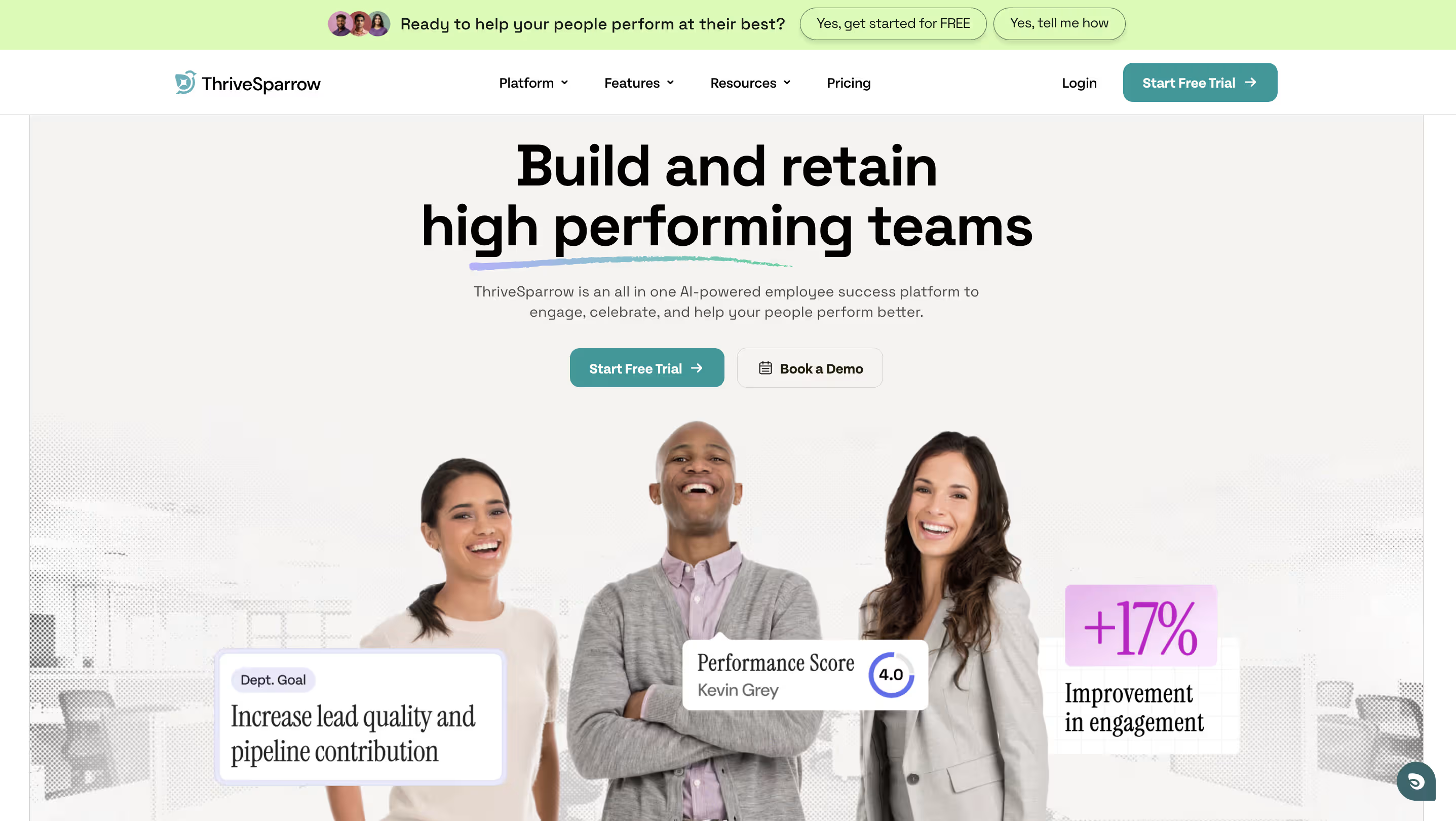
If you've read this far, you're clearly serious about getting this decision right. And that's exactly the kind of HR leader ThriveSparrow was built for.
ThriveSparrow is a continuous employee success platform that brings together 360-degree reviews, goal tracking, real-time feedback, AI-powered analytics, and recognition — in one place. It's not trying to be everything to everyone. It's built for small to mid-sized teams that want modern performance management without enterprise-level complexity or pricing.
What makes it different in practice:
- AI-powered heatmaps and sentiment analysis that show you performance patterns across teams — not just individual scores, but the trends behind them
- 360-degree feedback that runs in minutes, not weeks. HR teams have reported cutting admin time by 50% with ThriveSparrow's automated review workflows
- Built-in recognition and rewards with a global marketplace spanning 80+ countries, so engagement isn't a separate tool — it's woven into the performance conversation
- Multilingual pulse and eNPS surveys so you hear from your entire workforce, not just your English-speaking teams
Plans start at $3/employee/month, and there's a 14-day free trial with no credit card required — so you can test usability with your actual team before committing.
→ Start Your 14 day Free Trial
.svg)
FAQs
Q1. What factors should I consider when selecting a performance management system?
Define your goals first, then evaluate features based on workflow fit, integration with your HR tech stack, total cost (including implementation and training), usability with actual users, and scalability as your organization grows.
Q2. What are the 5 C's of performance management?
Communication (ongoing dialog), Clarity (clear expectations), Consistency (standardized processes), Collaboration (teamwork and peer feedback), and Consequences (recognition and accountability).
Q3. What's the difference between performance review software and a performance management system?
Review software handles periodic evaluations (annual/quarterly) focused on formal documentation. Management systems take a continuous approach with ongoing coaching, real-time feedback, and forward-looking development planning throughout the year.
Q4. Why is user adoption important when choosing performance appraisal software?
If the platform feels cumbersome, employees won't use it — forcing HR into constant reminders and workarounds that undermine the entire investment. Always test usability with actual users before committing.
Q5. How does performance review software improve employee engagement?
It enables continuous feedback, goal tracking, and regular recognition — making progress visible and connecting individual work to organizational objectives. Companies using structured performance systems see significantly higher engagement and lower attrition.
Q6. How much does performance review software cost in 2026?
Entry-level plans range from $3 to $11 per user/month, but total cost varies based on modules, implementation (averaging $100K for mid-sized businesses), and ongoing maintenance. Always request a full pricing breakdown including onboarding and renewal terms.