










On your third video call of the day, your direct report says, “Sorry, can you repeat the question? I’ve got three chats going right now.” You’re juggling Slack, standups, and “quick” check‑ins, but still not getting honest updates or real conversations. Meanwhile, engagement studies show that only about a third of employees feel truly engaged at work, and remote workers often report feeling watched rather than supported when managers lean on constant pings and status checks.
In that kind of environment, it’s easy to slide into helicopter management without meaning to. This is where a simple, our well‑designed one‑on‑one meeting template can help you. Whether you’re improving how you already run 1:1s or you’re new to managing people, this guide and the free 1:1 meeting template will help you have conversations that are easy to run, productive, and truly useful for your team.
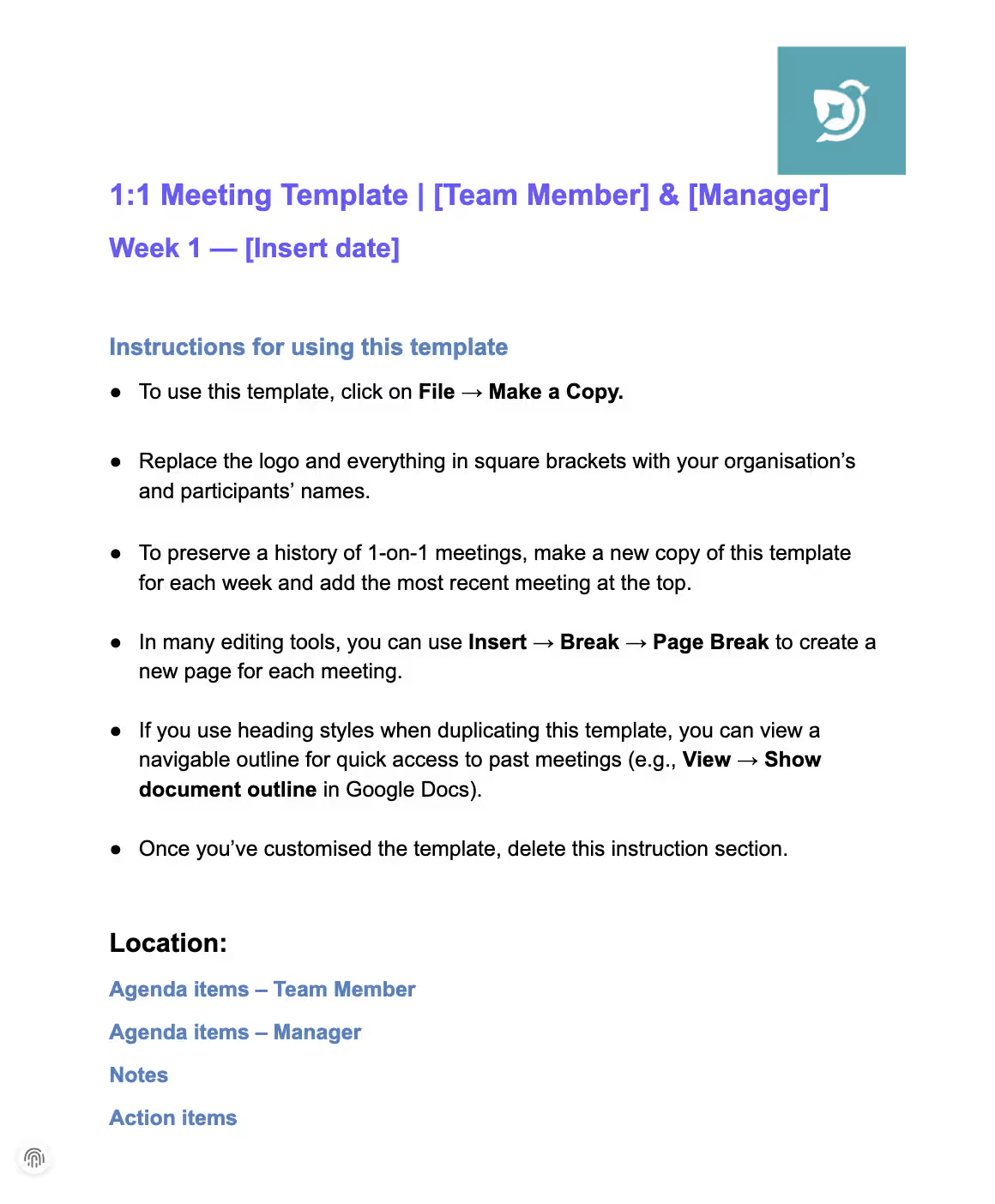
Our free, downloadable 1:1 meeting template
If you have a one-on-one coming up soon and don’t want to start from a blank doc, this template is built exactly for that moment.
Ready to try this with your team? Download the free 1:1 meeting template and use it as the agenda for your very next one-on-one.

Why you need a one‑on‑one meeting template
One‑on‑ones are one of the most effective tools managers have to build trust, catch issues early, and support growth—especially when most collaboration happens through screens. A simple, shared template keeps these meetings focused and productive, rather than turning into vague chats or rushed status updates.
Without a shared structure, most 1:1s quietly drift into one of three things:
- Status updates that could’ve been async
- Awkward small talk with no clear outcome
- Meetings that get postponed because “nothing urgent came up”
Research on modern performance management shows that regular, structured check‑ins help employees feel heard, clarify expectations, and connect their work to bigger goals. For remote and early-career employees especially, this dedicated space is often where real coaching and clarity actually happen.
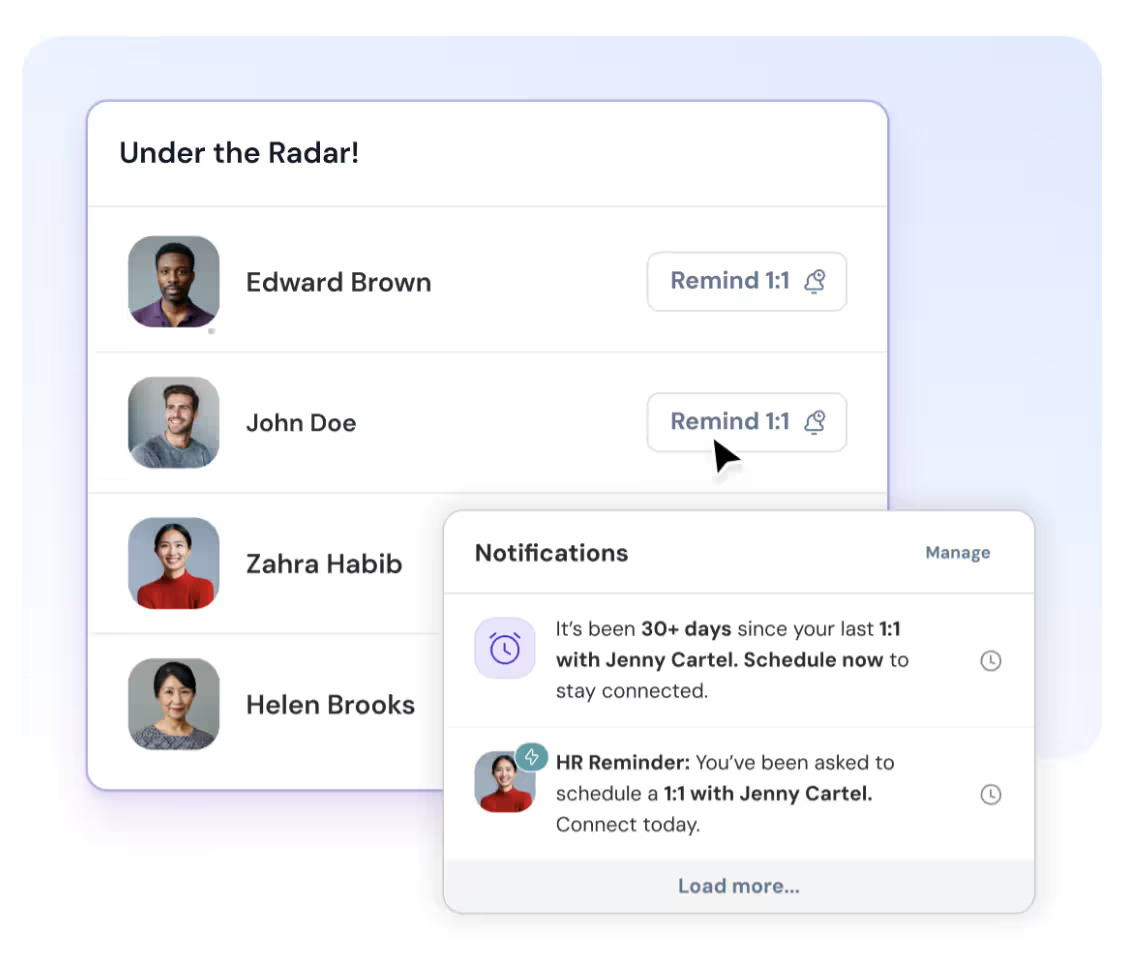
With ThriveSparrow 1:1s, those same conversations become easier to sustain: your talking points, past notes, and follow-ups live in one place—so the meeting stays about the person, not the paperwork.
.avif)
Benefits of using a 1:1 template
A clear one‑on‑one meeting template makes life easier for both managers and employees. It turns every 1:1 into a repeatable process instead of something you have to reinvent each week.
Key benefits include:
- Consistency: Using the same basic structure means you don’t skip important topics like wellbeing, priorities, or career growth.
- Preparation: Shared sections prompt both people to add notes and questions in advance, so the meeting time is spent on decisions and support, not trying to remember what happened.
- Focus: A time‑boxed agenda keeps the conversation on track and reduces the temptation to drift into long status updates.
- Actionability: Built‑in space for notes and action items makes it easier to follow through and track progress across weeks.
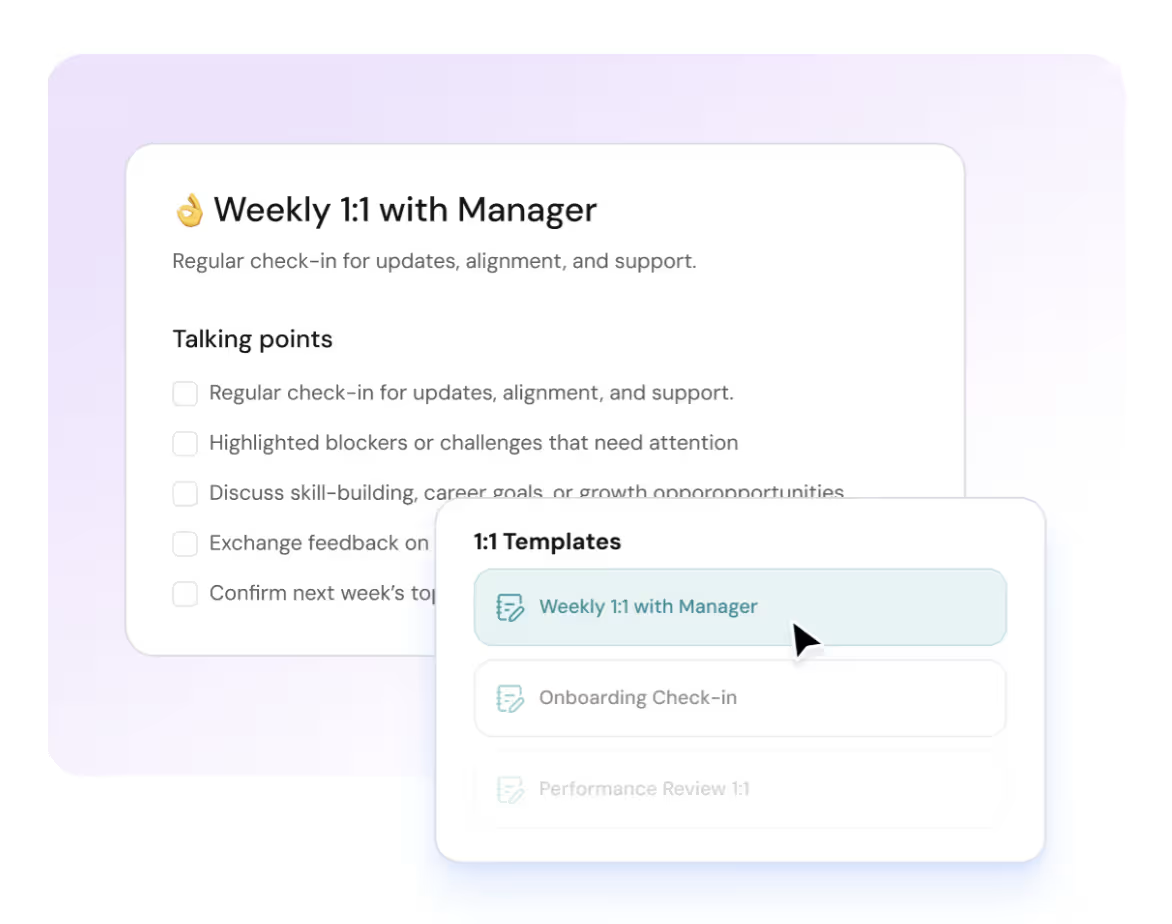
If you run different types of conversations (onboarding, performance, growth), our Essential one-on-one meeting templates for managers can help you pick the right structure for each.
What your one‑on‑one template should include
Drawing on current research and practice, an effective one‑on‑one meeting template typically includes:
- Meeting details: Date, time, participants, and agreed frequency.
- Objectives: A short statement of what this meeting is for (for example, “weekly alignment and coaching”).
- Preparation checklists: Prompts for both manager and employee to fill in wins, blockers, and topics in advance.
- Core agenda sections:
- Check‑in & rapport
- Review of previous action items
- Workload, priorities, and challenges
- Feedback & recognition (both ways)
- Career growth and development
- Next steps and commitments
- Action item tracker: A simple table with task, owner, due date, and status that carries over from meeting to meeting.
- Question bank: Optional prompts in each section to keep conversations varied and employee‑focused over time.
- First‑meeting questions: A small set of “how you like to work” and onboarding questions for new relationships.
How often should you have 1:1 meetings?
There’s no single perfect answer, but patterns are emerging. Many organizations now default to weekly or bi‑weekly one‑on‑ones between managers and direct reports. A 2021 productivity report found that about 40% of recurring 1:1s are scheduled weekly, with most others set for every two weeks or monthly.
Weekly check‑ins work particularly well for remote teams, new hires, and people in fast‑moving roles, because they keep alignment and feedback close to the work. For more senior or independent roles, a bi‑weekly cadence can be enough, as long as it’s reliable and not frequently canceled or pushed back.
Whatever rhythm you choose, consistency matters more than frequency; constantly canceling or rescheduling 1:1s sends a clear signal that the meeting and the person aren’t a priority.
Step‑by‑step guide to running effective one‑on‑ones meetings
1. Prepare in advance
Good one‑on‑ones start before anyone joins the call. Take a few minutes to review the last meeting’s notes, check progress on action items, and decide on one or two topics you want to explore more deeply. Share the agenda at least a day in advance and invite your report to add their own topics, questions, and updates.
Employees can use the same template to reflect on recent wins, blockers, and decisions where they need a second opinion. This shared preparation turns the 1:1 from a manager‑led update into a joint working session.
You can also use this one-on-one meeting checklist for managers to make sure you’re always prepared before every 1:1.
2. Start with a check‑in
Begin with a short check‑in about how they’re doing—not just what they’re doing. Simple questions like “How are you feeling about work this week?” or “What’s one thing that’s going well and one thing that’s hard?” help surface issues early. A quick shout‑out for a recent win sets a positive tone and reminds people that their effort and progress are seen.
3. Review action items and progress
Use the template’s “Last time” section to revisit action items from your previous meeting. Go through what’s done, what’s in progress, and what hasn’t moved. Instead of jumping straight to “why isn’t this finished?”, focus on what helped or hindered progress and what support is needed.
4. Discuss workload, priorities, and challenges
This is where a structured 1:1 helps you avoid helicopter behavior. Rather than constant “What’s the status?” messages, you have a dedicated time to talk through:
- Current workload: “On a scale of 1–10, how sustainable does your workload feel right now?”
- Top priorities: “What are your top three priorities before our next 1:1?”
- Blockers: “What’s getting in your way, and what would help unblock it?”
Use this part of the agenda to realign on what truly matters and consciously drop or delay lower‑value work where needed. That shift—from monitoring tasks to co‑prioritizing—directly reduces the need to hover during the week.
5. Provide feedback and recognition
Make space for both recognition and constructive feedback. Call out specific things the person did well, then offer one or two clear pieces of feedback tied to behaviors and outcomes, not personality. Invite upward feedback with prompts like “Is there anything I could do differently to support you?” or “Where do you need more clarity from me?”
Healthy one‑on‑ones are two‑way: the employee does most of the talking while the manager listens, asks follow‑up questions, and clarifies expectations. This balance builds trust and makes it less likely they’ll experience your questions as micromanagement.
6. Explore career growth and development
Don’t let every 1:1 stay stuck in this week’s to‑do list. Use part of the agenda to talk about longer‑term goals: skills they want to build, experiences they’d like to gain, and roles they’re curious about. From there, you can look for concrete next steps such as stretch projects, mentoring, or training resources.
Regular development conversations are one of the clearest signals that you see the person as more than just their current tasks, which makes helicopter‑style oversight feel less necessary on both sides.
7. Agree on next steps and follow up
End each one‑on‑one by summarizing what you’ve decided and turning it into a small set of action items with owners and timelines. Capture these in a simple tracker or table in your shared document. At the start of the next 1:1, open with that list so people see that what you wrote down last time is taken seriously.
Best questions to ask in your first one-on-one meeting with an employee
Your first one-on-one meeting with an employee sets the tone for how safe, supported, and honest future conversations will be. The goal isn’t to judge performance; it’s to understand the person and how to work well together.
In that first one-on-one meeting, focus your questions around expectations, working style, and early impressions.
First one-on-one questions about their experience so far
- What are you enjoying most about your role and the company so far?
- What feels confusing, unclear, or different from what you expected?
- If you could change one thing about your onboarding or first few weeks, what would it be?
First one-on-one questions about expectations and support
- What are your expectations of me as your manager?
- What does great support from a manager look like to you?
- How do you prefer to receive feedback—real-time, written, in 1:1s?
- What can I do in the next two weeks to make your ramp-up smoother?
First one-on-one questions about working style
- How do you like to structure your day—blocks of focus time, more collaboration, something else?
- What are your communication preferences (async vs live, chat vs docs vs calls)?
- Do you have any work-related pet peeves or things you’re particularly sensitive to that I should know about?
- How often do you like one-on-one meetings when you’re still new—weekly, more often, less?
These questions help you show that one-on-one meetings are their space as much as yours, and that you see them as a person, not just a role.
For even more prompts, check out these 30 impactful one-on-one meeting questions you can rotate into your template.
Example one-on-one meeting calendar invitation (copy and tweak)
Title: Weekly One-on-One Meeting – [Manager] & [Name]
Description:
This is our recurring one-on-one meeting—a dedicated space for alignment, feedback, and your growth (not just status updates).
We’ll use this time to:
- Check in on how you’re doing, not just what you’re doing
- Review priorities, wins, and any blockers
- Talk through feedback (both ways) and longer-term developmen
Before each one-on-one meeting, please add your topics, questions, and updates to our shared 1:1 doc so we can focus our time on what matters most. If we ever need to move this, we’ll reschedule rather than cancel so this stays a consistent touchpoint.
Best practices from recent research
Recent articles, reports, and expert guides point to several consistent best practices for high‑quality one‑on‑ones.
- Make it employee‑centric: Treat the 1:1 as your report’s meeting; let them co‑own the agenda and encourage them to speak most of the time.
- Be prepared and present: Come with a clear purpose, turn off distractions, and listen actively instead of multitasking or scanning emails.
- Customize to individual needs: Adjust the cadence and focus based on experience level, role, and current workload, rather than using a rigid one‑size‑fits‑all schedule.
- Track progress and follow through: Use a simple, shared log of topics and actions so that nothing gets lost between meetings.
- Balance short‑term and long‑term: Combine updates on current work with ongoing conversations about wellbeing, growth, and future opportunities.
Done well, regular one‑on‑ones become an antidote to helicopter management: instead of hovering day‑to‑day, you have a reliable, structured space to align, coach, and support your team.
The result? Fewer surprises, fewer status pings, and a lot more clarity about what’s really going on.
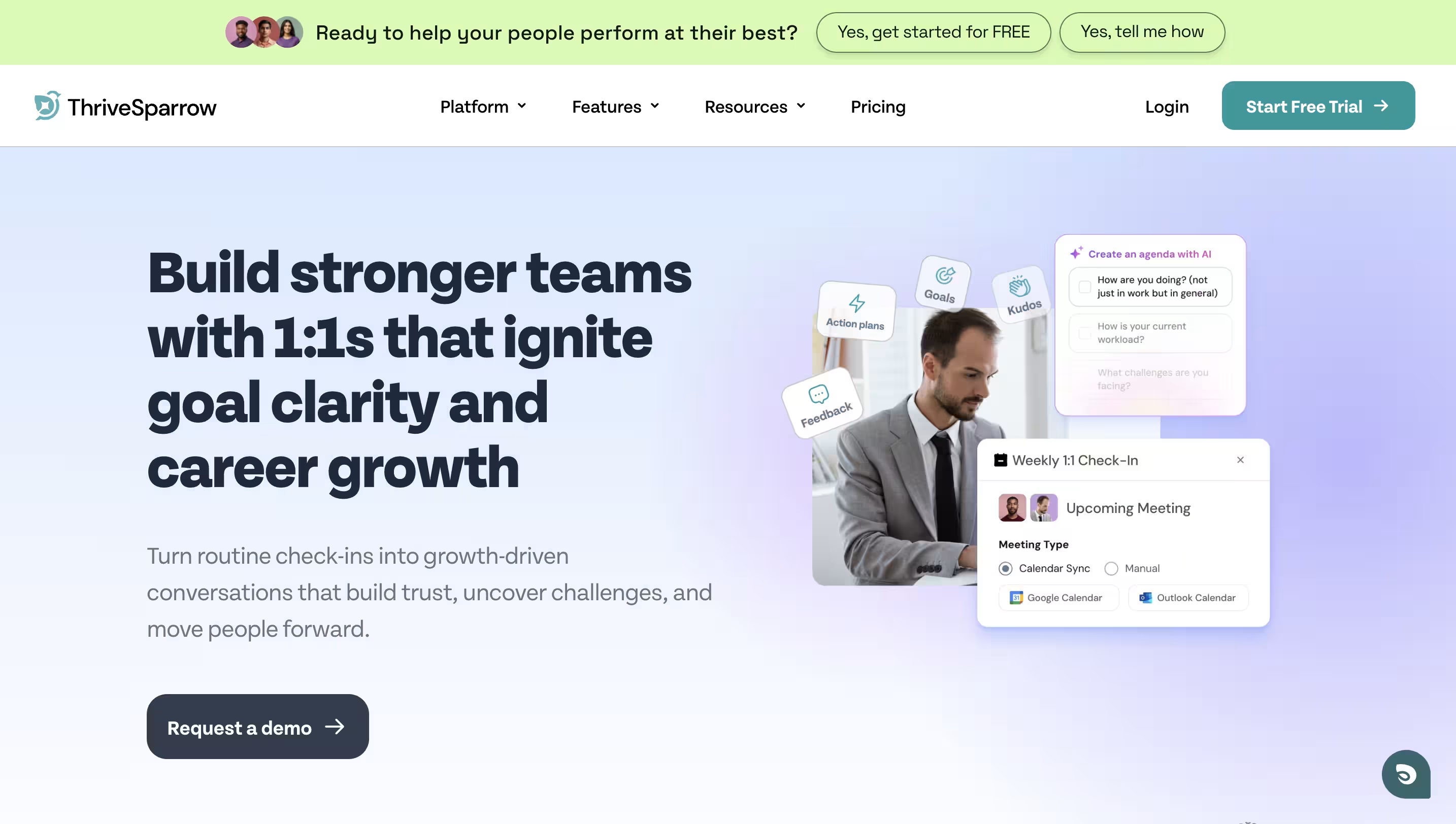
If your one-on-ones feel rushed or unclear, this is the right time to fix them. A simple, repeatable template can help you stay on track, give better feedback, and support your team without micromanaging. If you want an easier way to run clear, consistent 1:1s, sign up for ThriveSparrow’s one-on-ones and start using structured agendas that actually work for you and your team.
.svg)
FAQs about one-on-one meeting template
1. How often should one-on-one meetings be?
Most teams do one-on-one meetings weekly or every other week. Weekly works especially well for remote employees, new hires, and fast-moving roles, while bi-weekly can be enough for more senior or independent folks—as long as the cadence is consistent.
2. How long should a one-on-one meeting last?
A 30-minute weekly one-on-one meeting is usually enough if you prepare and follow a simple agenda. For deeper conversations—like performance debriefs, promotion paths, or complex project reviews—45–60 minutes works better.
3. What should a one-on-one meeting template include?
A strong one-on-one meeting template usually has:
- Meeting basics (date, time, participants, frequency)
- A short objective (e.g. “alignment, coaching, and support”)
- Prep prompts for both manager and employee
- Core agenda sections: check-in, last actions, workload, blockers, feedback, growth
- A simple action item tracker with owner, due date, and status
4. How do one-on-one meeting templates stop micromanagement?
Templates give you a dedicated place to ask about work, blockers, and progress, so you don’t have to hover all week. When your one-on-one meetings are reliable and structured, you can lean less on constant pings and more on planned, calm conversations.
5. Are one-on-one meeting templates too rigid?
Good one-on-one meeting templates are a scaffold, not a script. The structure stays the same so you don’t forget important topics, but the emphasis shifts based on the person and the moment—onboarding, crunch time, performance dips, or growth conversations. You can always skip sections when they’re not relevant and go deeper where they are.