










A promotion announcement is a formal or informal communication that shares news of an employee’s career advancement within an organization. It identifies the employee, states the new position and clarifies when the change takes effect. Announcements are shared internally via email or meetings and externally through LinkedIn or blogs to keep everyone informed. Recognizing achievements boosts engagement and improves productivity while reducing absenteeism. According to Deloitte, organizations with strong recognition practices experience up to 14% higher employee engagement and performance compared to those without structured recognition.
This article defines promotion announcements, explains their importance, shows how to write and deliver them, provides templates and answers common questions.
What is a promotion announcement?
A promotion announcement is just a simple way of letting everyone know that a colleague has stepped into a new role. It typically includes the employee’s name, previous and new positions, a quick rundown of their achievements and when the change takes effect. You can share it internally via email, meetings or messaging, or externally on LinkedIn or your company blog.
Announcing promotions helps everyone understand who’s doing what and why someone earned the advancement. Usually, HR drafts the message with input from the manager to make sure all the details are spot on and that the tone fits your culture.
So, why does this small announcement make such a big difference? Let’s explore that next.
Why promotion announcements matter
Promotion announcements aren’t just a box to tick; they really do have an impact. Here are a few reasons, and feel free to nod along if any resonate with you:
- Recognition and morale: Publicly celebrating someone’s hard work shows that effort is rewarded. When employees feel acknowledged, they’re 7x more engaged, and that engagement boosts productivity while cutting down on absenteeism.
- Transparency and trust: Announcing promotions openly cuts down on rumours and proves that advancement is based on merit. As People Advisor Chloë de Jonge points out, it tells everyone there are opportunities for growth.
- Team cohesion: Knowing who’s taking on new responsibilities keeps confusion at bay and helps projects stay on track.
- Motivation and employer branding: Celebrating success inspires peers and, when you share the news externally, signals to the world that your company cares about growth.
So you get why they matter but what should you actually say in an announcement? Let’s break down the must‑haves.
Essential elements of a promotion announcement
Think of a promotion announcement as a mini checklist. To keep it simple and clear, make sure it includes these parts:
- Greeting: Kick things off with an appropriate salutation—“Dear colleagues” for formal settings or “Hi team” if your company vibe is relaxed.
- Employee introduction: Share the employee’s name, their previous role and a little background like how long they’ve been with the company.
- Achievements and reasons: Highlight specific projects, measurable outcomes or leadership qualities that led to the promotion. No vague praise—stick to facts.
- New role and responsibilities: Explain what the new role entails and whether there are any changes to team structure.
- Effective date: Let everyone know when the promotion kicks in.
- Call to action: Wrap it up by congratulating the person and inviting colleagues to share their support—an email reply, a Slack message or a quick high‑five.
Now that you know what to include, let me show you how to put it all together in an email.
How to write a promotion announcement email
Most of us send promotion news via email—especially if the team is spread out. Here’s a friendly five‑step formula to keep your message clear and engaging:
- Warm greeting: Start with a greeting that matches your style—“Dear team” or maybe just “Hi everyone”.
- State the promotion: Get right to the point: name the employee, the new role and the effective date.
- Highlight achievements: Drop in a sentence or two about projects, results or qualities that earned them the promotion.
- Describe responsibilities: Explain what they’ll be doing now and mention any changes in reporting lines or team structure.
- Wrap with congratulations: Close by inviting colleagues to congratulate the employee and celebrate the milestone.
Easy, right? Next, let’s see about where to share the news.
Choosing the right channel for promotion announcements
Picking a channel sounds simple, but it can make or break how people receive the news. Here’s how I break it down:
1. Meetings and all‑hands: Perfect for small teams. You get that personal touch and everyone can celebrate together.
2. Email: Great for large or global teams—it reaches everyone at once and can include external stakeholders like clients.
3. Messaging platforms: Slack, Teams or WhatsApp make quick, informal announcements. Plus, you get instant reactions.
4. Newsletters and blogs: Use these for a record of achievements and to catch anyone who missed the first announcement.
5. Social media and LinkedIn: Share the news externally to show off your culture and highlight internal growth.
Once you’ve picked a channel, you’ll need words to fill it. Let’s look at some ready‑made templates.
Promotion announcement examples and templates
To help you put these components into practice, here are six templates tailored to common scenarios. Feel free to adapt the language to suit your company’s tone and the medium you choose.
Example 1: Company‑wide email
Subject: Announcing [Employee Name]’s promotion to [New Role]
Dear colleagues,
We’re thrilled to share that [Employee Name] is promoted to [New Role], effective [Date]. [He/She/They] achieved [Key Achievement] and led [Project]; in the new role [he/she/they] will [Responsibilities]. Please join us in congratulating [Employee Name].
Example 2: Department email
Subject: [Employee Name] promoted to [New Role] in [Department]
Hi team,
[Employee Name] becomes [New Role] on [Date]. As [Current Role], [he/she/they] led [Project]. Let’s congratulate and support [him/her/them] in this new position.
Example 3: LinkedIn announcement
Exciting news: [Employee Name] is promoted to [New Role] after delivering [Achievement] as [Current Role]. In the new role [he/she/they] will [Responsibilities]. Join us in celebrating [Employee Name].
Example 4: Meeting script
“I’m pleased to announce that [Employee Name] will serve as [New Role], effective [Date]. [He/She/They] led [Project] and exemplifies our values. Please congratulate [Employee Name].”
Example 5: Messaging post
Subject: Congratulations to [Employee Name]!
Everyone, please congratulate [Employee Name] on [his/her/their] promotion to [New Role], effective [Date]. [He/She/They] excelled as [Current Role], leading [Project]. Leave your congratulations below.
Example 6: Newsletter spotlight
Employee Spotlight: [Employee Name]
[Employee Name] is now [New Role], starting [Date]. In the previous role as [Current Role], [he/she/they] led [Project] and will take on [New Responsibilities]. Please congratulate [Employee Name].
Feel free to tweak these to match your voice. Now, let’s talk about what to do and what to avoid.
Best practices and common pitfalls
When you put pen to paper (or fingers to keyboard), keep these friendly dos and don’ts in mind:
- Set clear expectations and time it right: Let people know what it takes to get promoted and announce the news when folks will actually see it.
- Tell the immediate team first: Give close colleagues a heads‑up so they aren’t blindsided.
- Be specific but consistent: Celebrate unique achievements but follow a similar structure across announcements to avoid favoritism.
- Double‑check details: Have the promoted employee proof‑read the announcement and invite feedback.
- Skip sensitive info: No salaries or personal challenges—stick to job‑related facts.
- Stay professional: Even if you’re casual, avoid slang or over‑the‑top punctuation.
- Keep it honest: Don’t exaggerate achievements or compare employees.
Got those rules down? Great—let’s tackle a few questions you might still have.
Final Thoughts
Promotion announcements do more than share a title change. They mark a transition—new responsibilities, higher expectations, and greater visibility. While the announcement celebrates the moment, feedback is what helps employees succeed after it. Without continued feedback, newly promoted employees are often left guessing whether they are focusing on the right priorities or meeting expectations in their new role.
Ongoing feedback provides clarity during this transition. It helps employees understand what’s working, where to adjust, and how success is defined at the next level. It also reassures them that support hasn’t disappeared once the congratulations fade. When feedback continues after a promotion, confidence grows faster, misalignment is corrected early, and momentum is sustained.
According to Gallup, employees who receive both meaningful recognition and frequent feedback are 3.6 times more likely to be engaged.
This is where ThriveSparrow adds real value. Teams use ThriveSparrow to pair promotion announcements with ongoing recognition and structured feedback from managers and peers. It keeps appreciation visible, captures feedback in one place, and ensures growth conversations continue as employees step into new responsibilities. Instead of promotions feeling like one-time events, they become supported transitions.
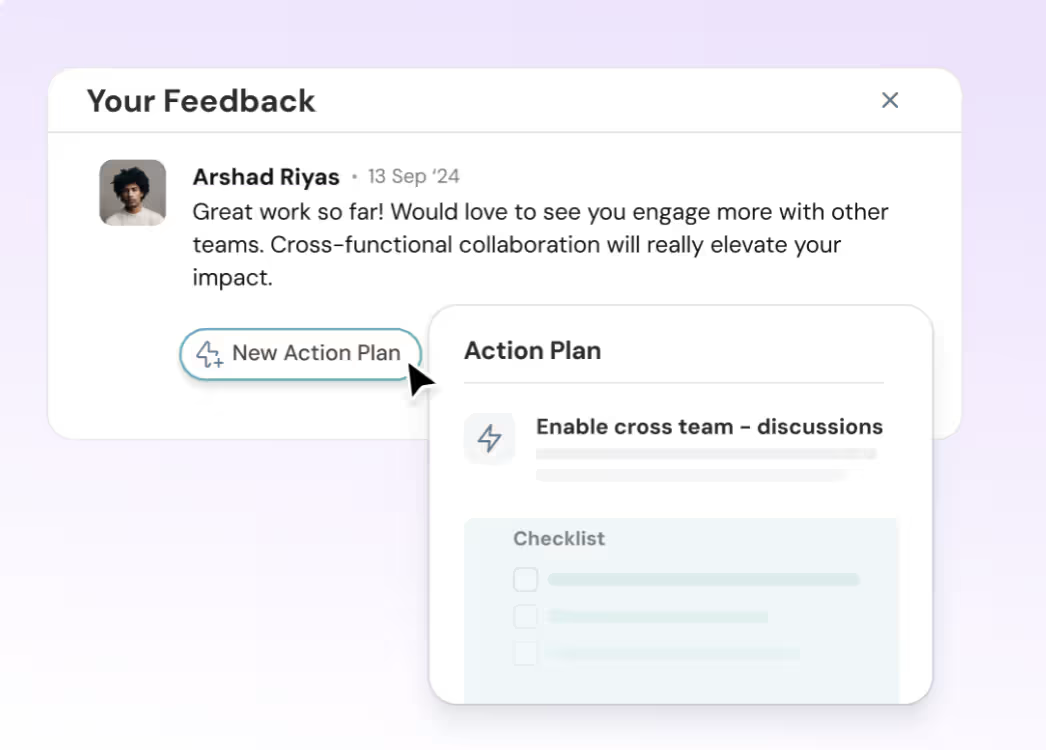
Try it out today with a free 14‑day trial. what do you think?
.svg)
FAQs about promotion announcements
1. When should I announce a promotion?
Share the news as soon as the employee accepts the role and the effective date is set. Inform the immediate team privately first, then communicate to the broader group.
2. How long should a promotion announcement be?
Keep it brief—include the employee’s name, old and new roles, key achievements, effective date and a short congratulations. A few paragraphs or a concise message will suffice.
3. Who writes promotion announcements?
HR or communications teams usually draft the message, often in consultation with the employee’s manager to ensure accuracy and consistency.
4. What’s the difference between internal and external promotion announcements?
Internal announcements go to colleagues via emails, meetings or messaging platforms. External announcements appear on LinkedIn, company blogs or press releases to share the news with clients, partners and the broader community.
5. Should I include salary or personal details?
No. Promotion announcements should focus on achievements and new responsibilities. Leave out salary information and other sensitive personal details.